

How it works
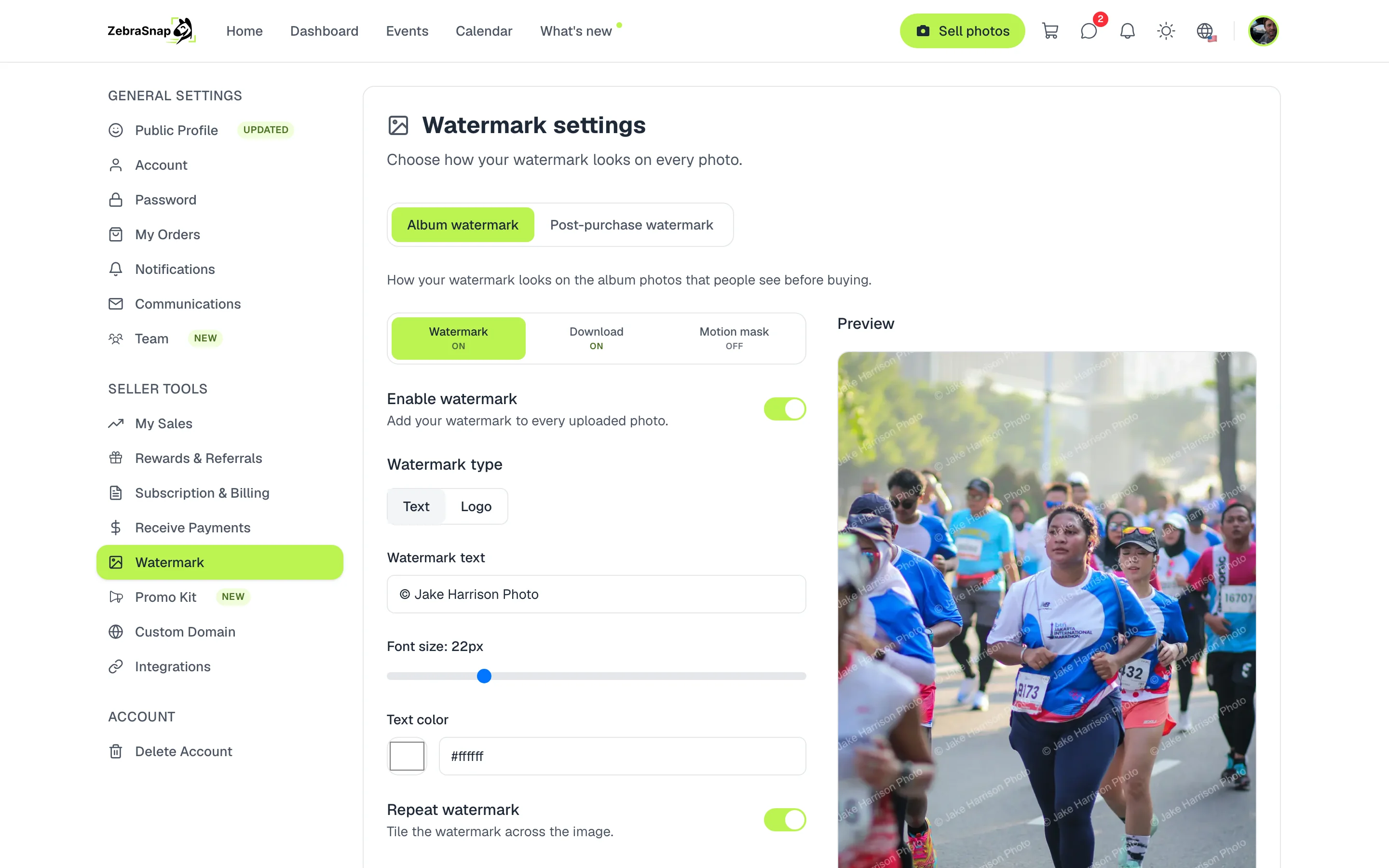
Every photo in your public albums is shown with your watermark. Your original photos are never touched: the watermark is added when the photo is shown, so you can change it any time and it updates on all your albums.
Set it up
- Open the watermark. In Settings, go to Watermark.
- Choose text or logo. Type your name or your handle, or upload your logo as a PNG.
- Adjust how it looks. Size, opacity, rotation and position. The preview changes as you adjust.
- Decide if it repeats. Repeat watermark tiles it across the whole photo.
- Save. The watermark applies to all your albums.
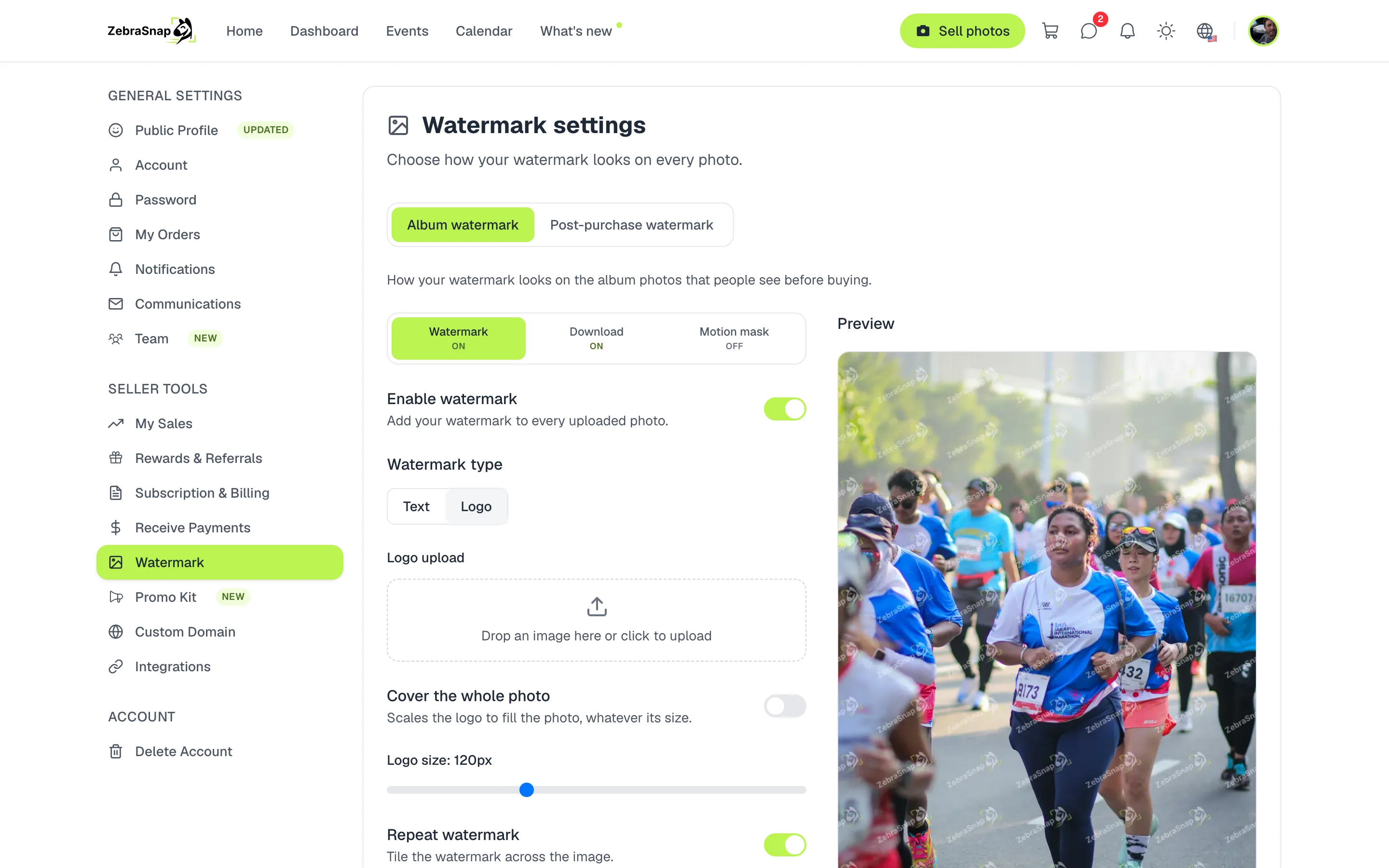
Tip. A watermark repeated across the photo is much harder to remove than a single one in a corner.
A different watermark on one album
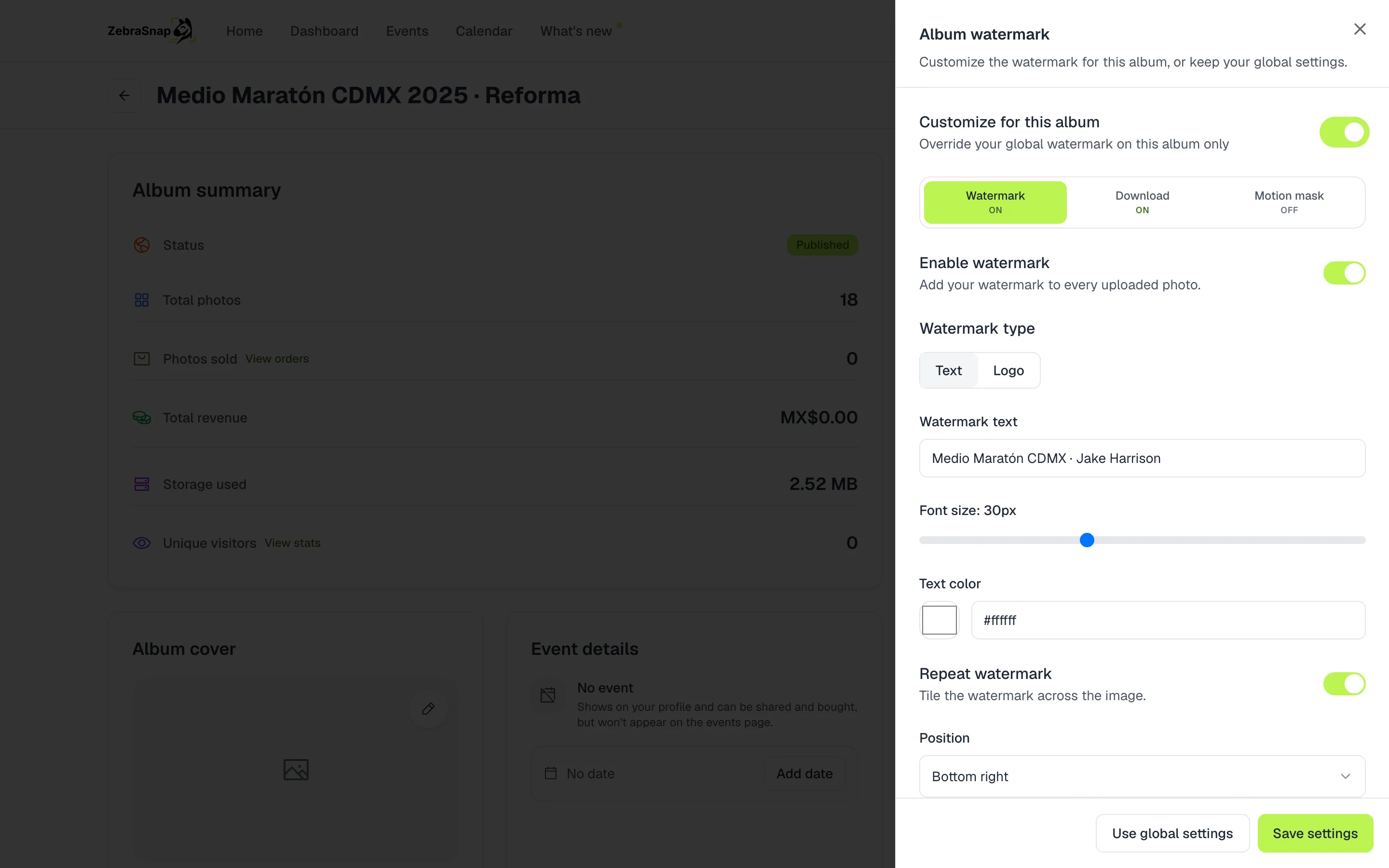
Each album can have its own watermark. In the album, press Watermark in the actions, turn on Customize for this album and adjust it. To go back to your account's watermark, press Use global settings.
Watermark on sold photos
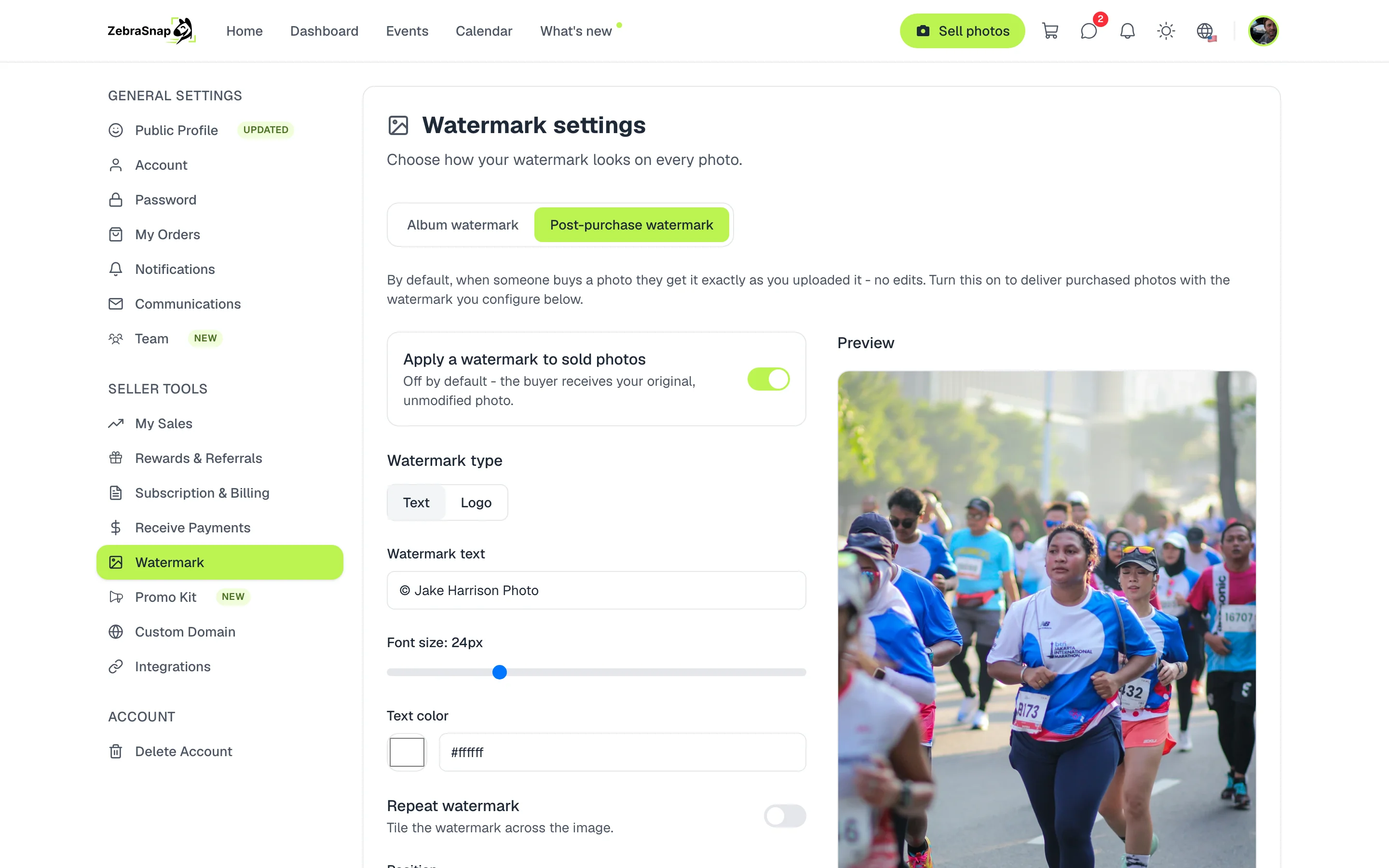
By default, the buyer gets the photo exactly as you uploaded it. In the Post-purchase watermark tab you can turn on a watermark for sold photos, for example your handle in a corner, so your name travels with the photo when it is shared.
What your client sees
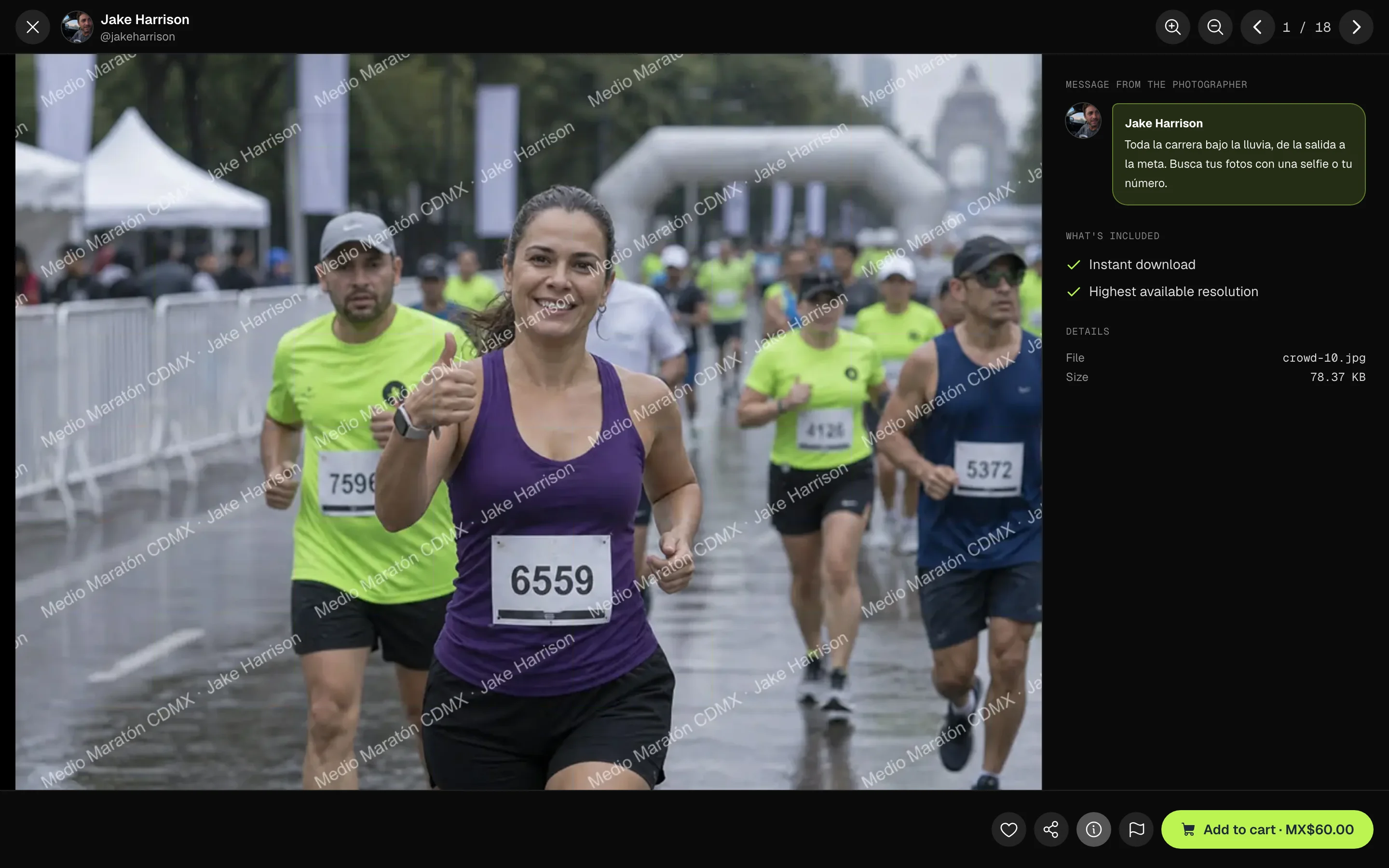
Your client sees the photo with your watermark while deciding whether to buy it. Besides the watermark, the photo has two more layers of protection, explained below.
Download protection
The photo a visitor sees is never your original file: it is a smaller copy with your watermark that arrives cut into tiles and only fits back together inside the browser. On screen it looks normal; if someone saves it, they get scrambled tiles. It is on in every public album, and you can turn it off in the Download tab of the watermark.

How a visitor sees it
Motion mask
Glass lenses drift over the enlarged photo. On screen they barely get in the way, but a screenshot freezes them in place and the photo comes out distorted. It is off by default: turn it on in the Motion mask tab of the watermark and choose how many lenses, their size and how much they distort.
As a visitor sees it (moving)
How other photographers use it
Races with thousands of photos
A diagonal watermark repeated across the photo. Anyone who takes a screenshot gets a marked image they cannot use.
An album for one client
For a club session you use the club's name instead of yours, without changing the watermark on your other albums.
Photos shared on social media
You turn on the post-purchase watermark with your Instagram handle. When the athlete posts the photo, people know who took it.
Frequently asked questions
- Does the buyer get the photo with a watermark?
- No. They get the clean original. It only carries a watermark if you turn on the post-purchase watermark.
- Can I use my logo?
- Yes. Upload your logo as a PNG, with a transparent background so it looks best on the photo.
- If I change the watermark, do the photos I already uploaded change?
- Yes. The watermark is applied when the photo is shown, so the change shows on all your albums.
- Can I have an album without a watermark?
- Yes. In the album watermark, customize it and turn it off. The photos then show at full quality.
- All plans
- Web