

How it works
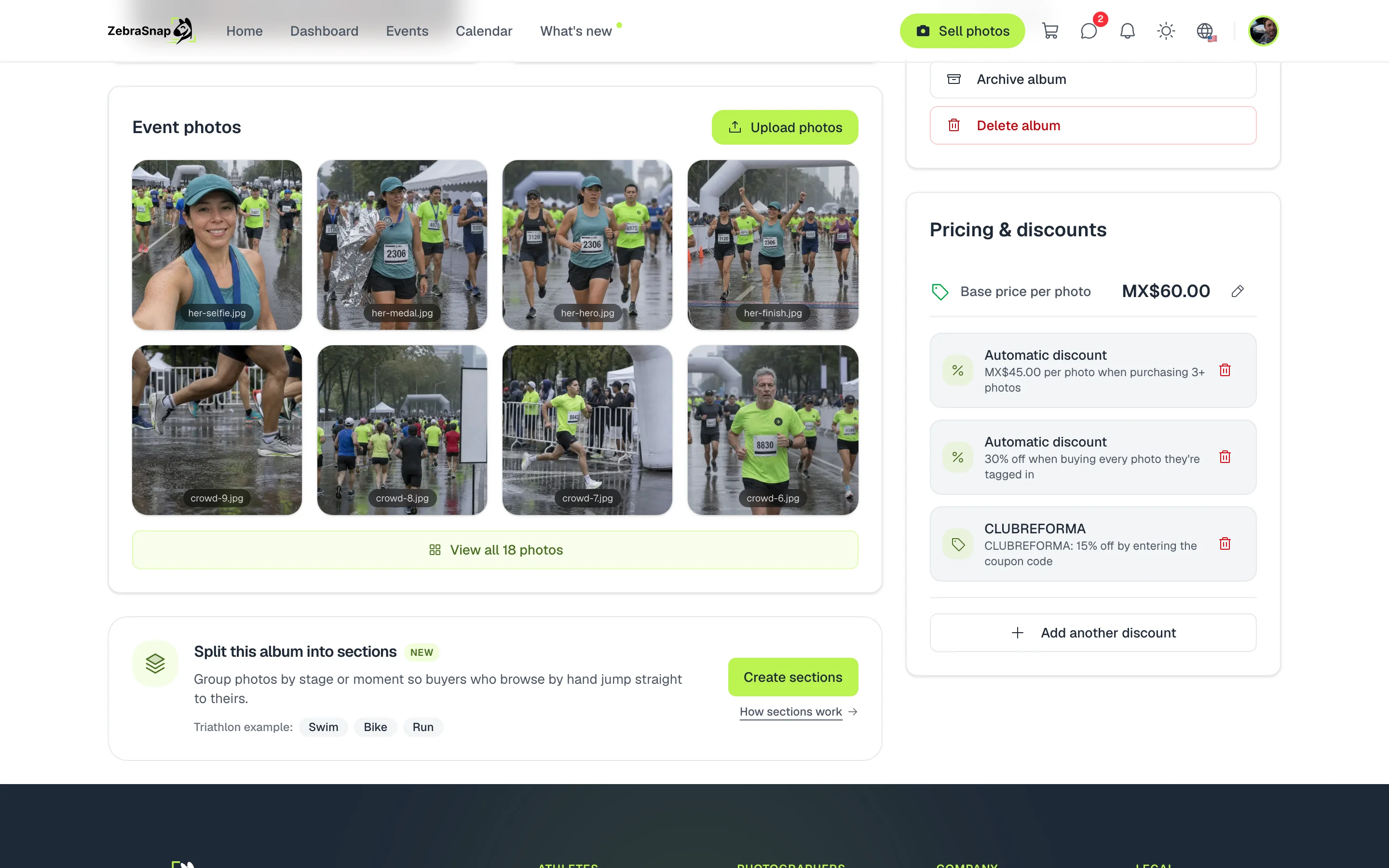
Each discount has two parts: when it activates and what it does to the price. You create it in your album, and the buyer sees it on the album page, with the total already calculated in their cart.
It activates when someone buys a certain number of photos, buys every photo the athlete appears in, or enters a coupon. And it can be:
- Percentage. For example, 10% off from 3 photos.
- Fixed amount. An amount subtracted once from the total.
- Fixed total price. A package: 5 photos or more for a set price.
- Price per photo. Each photo drops to that price from the quantity you choose.
Create a discount
- Open your album. In the Pricing & discounts card, press Create discount.
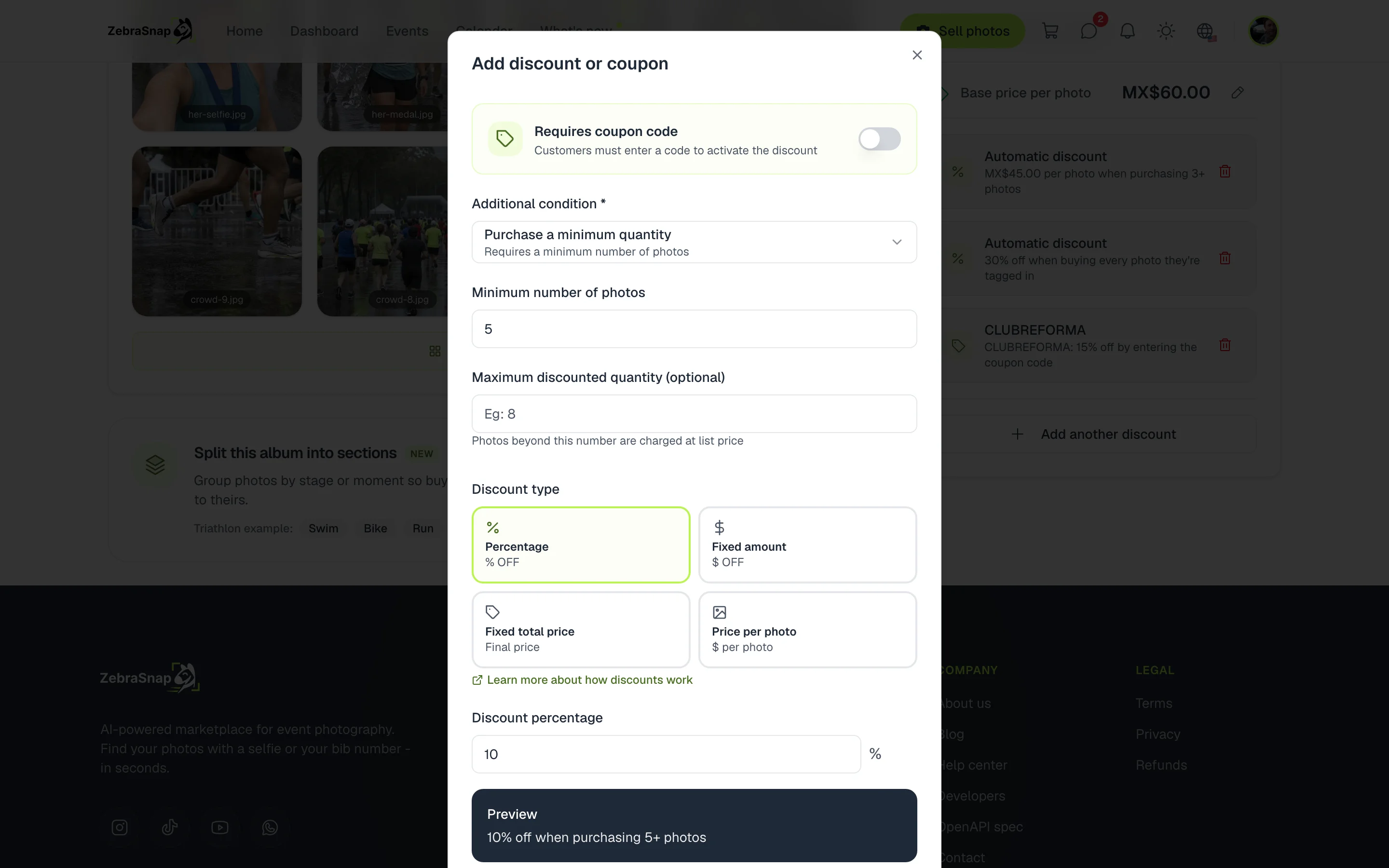
- Choose when it activates. In Additional condition, choose a minimum quantity or all their photos.
- Choose the type. Percentage, fixed amount, fixed total price or price per photo, and enter the value.
- Check the preview. Below, you see how your discount reads, for example "10% off when purchasing 5+ photos".
- Save. The discount shows on your album right away.
Tip. For a big event, a price per photo from 3 photos usually works better than a percentage: the athlete sees the exact price they will pay for each photo.
What the buyer sees
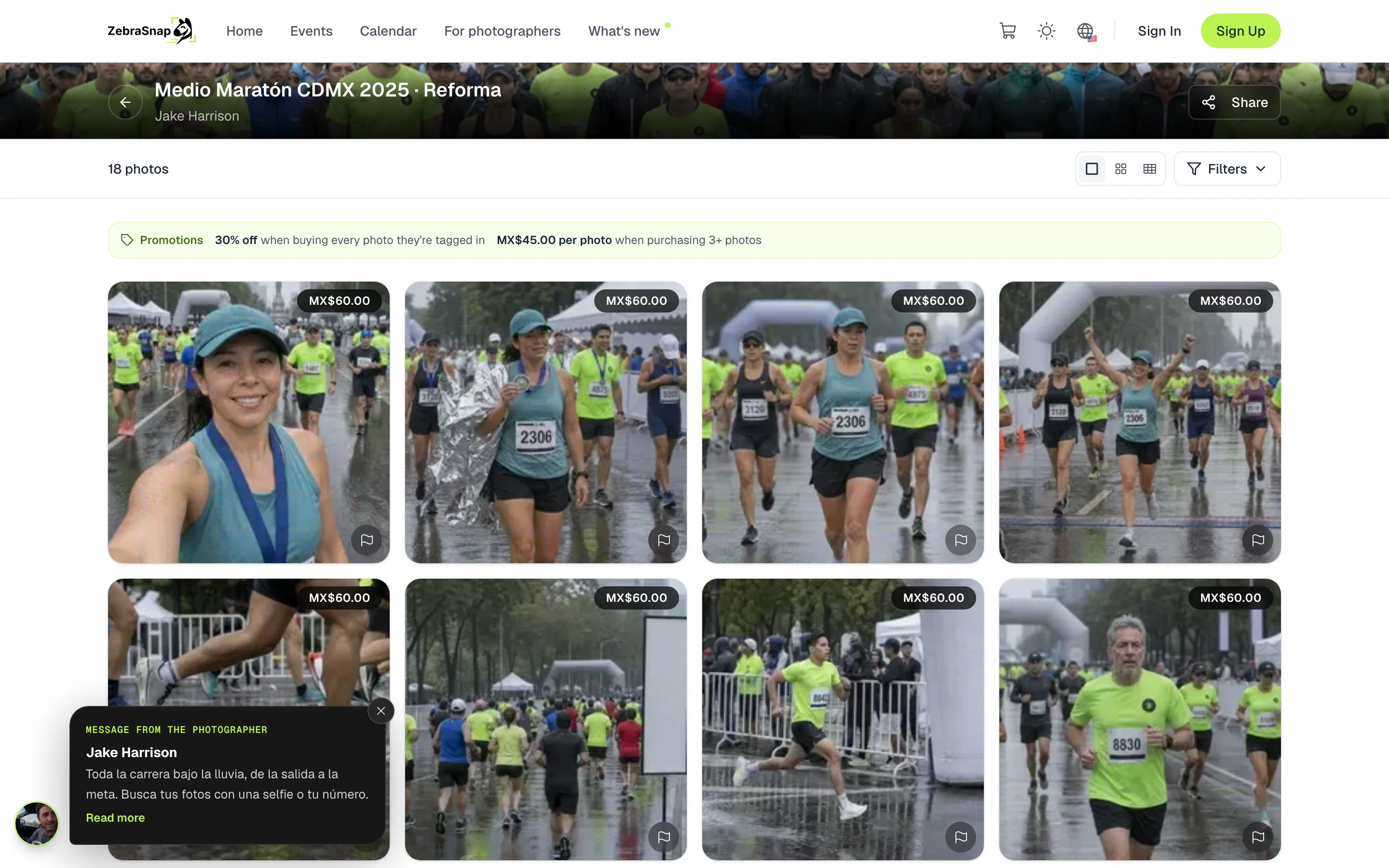
Automatic discounts show as Promotions above the album's photos. The buyer knows from the start how much they save by taking more.
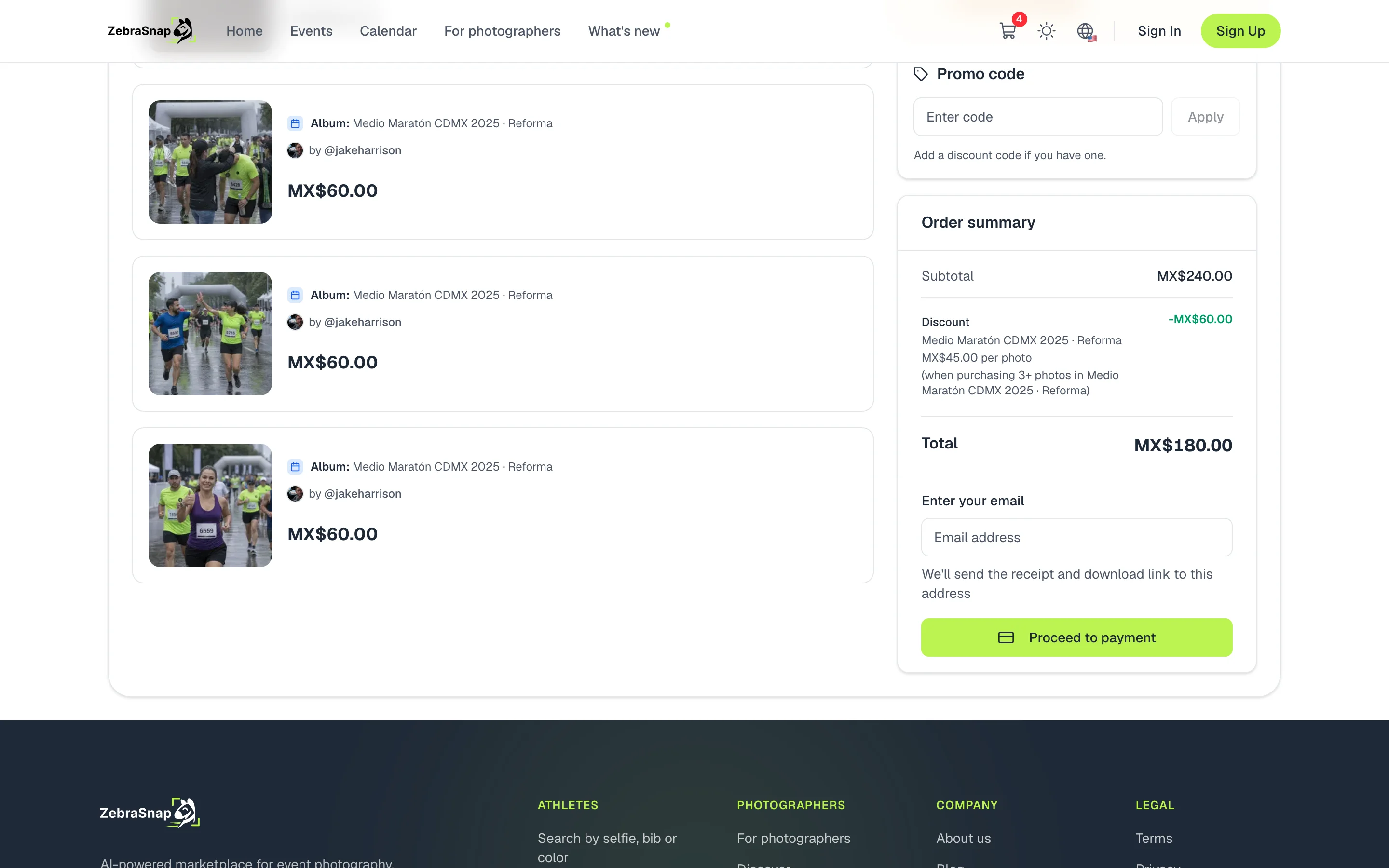
In the cart, the discount applies by itself and the savings are shown. With 4 photos at MX$60 and a price per photo of MX$45 from 3 photos, the athlete pays MX$180 instead of MX$240.
Package of all their photos
This discount activates when the athlete takes every photo they appear in. To know which ones those are, the athlete searches with their selfie; then they can add them all in one tap. If any are missing, the cart tells them how many.
Coupons
Any discount can require a coupon code. Discounts with a coupon do not show on the album: the buyer enters the code in Promo code in the cart. They are ideal for the club, the organizer or a promotion on your social media.
Maximum quantity and several discounts
If you sell packages, add a maximum discounted quantity so extra photos are charged at the regular price. And if the album has several discounts, one applies to each purchase: a valid coupon always wins, and otherwise the one that leaves the lowest total for the buyer.
How other photographers use it
Half marathon with photos at several spots
Each runner appears in 4 to 6 photos. A lower price per photo from 3 photos turns a one-photo purchase into a four-photo one.
The package of all their photos
The athlete searches with their selfie, sees all their photos and adds them in one tap with 30% off.
A coupon for the club
You give the club a code with 15% off. Only people who have it can use it, and it does not show on the album.
Frequently asked questions
- Can I have several discounts on the same album?
- Yes. Only one applies to each purchase: a valid coupon always wins; without a coupon, the one that leaves the lowest total for the buyer applies.
- Does the all-their-photos discount work if the athlete does not search for themselves?
- No. To know which photos are theirs, the athlete has to search with their selfie. Then they can add them all in one tap.
- How do I stop someone from taking 20 photos at the price of a 5-photo package?
- Set a maximum discounted quantity. Photos above that quantity are charged at the regular price.
- Do videos count toward the discount?
- Videos keep their own price: the price per photo does not change them and they do not count toward a package's minimum quantity.
- Can I change the discounts after the album is published?
- Yes, any time. What was already sold does not change; the new discount applies to the next purchases.
- All plans
- Web, app and desktop app