How it works
With direct payments, your buyers can pay for their photos by bank transfer, mobile payment, a wallet like Zelle or PayPal, or cash. At checkout they choose Pay the photographer directly and see your details, each with a copy button, and a unique reference for their order, like ZS-R4MP7.
Once they pay, they send you the receipt from their order or by WhatsApp. We let you know by email, on the web and in the app. You check your bank, approve, and the photos reach them right away. The money never goes through ZebraSnap, so there is no commission.
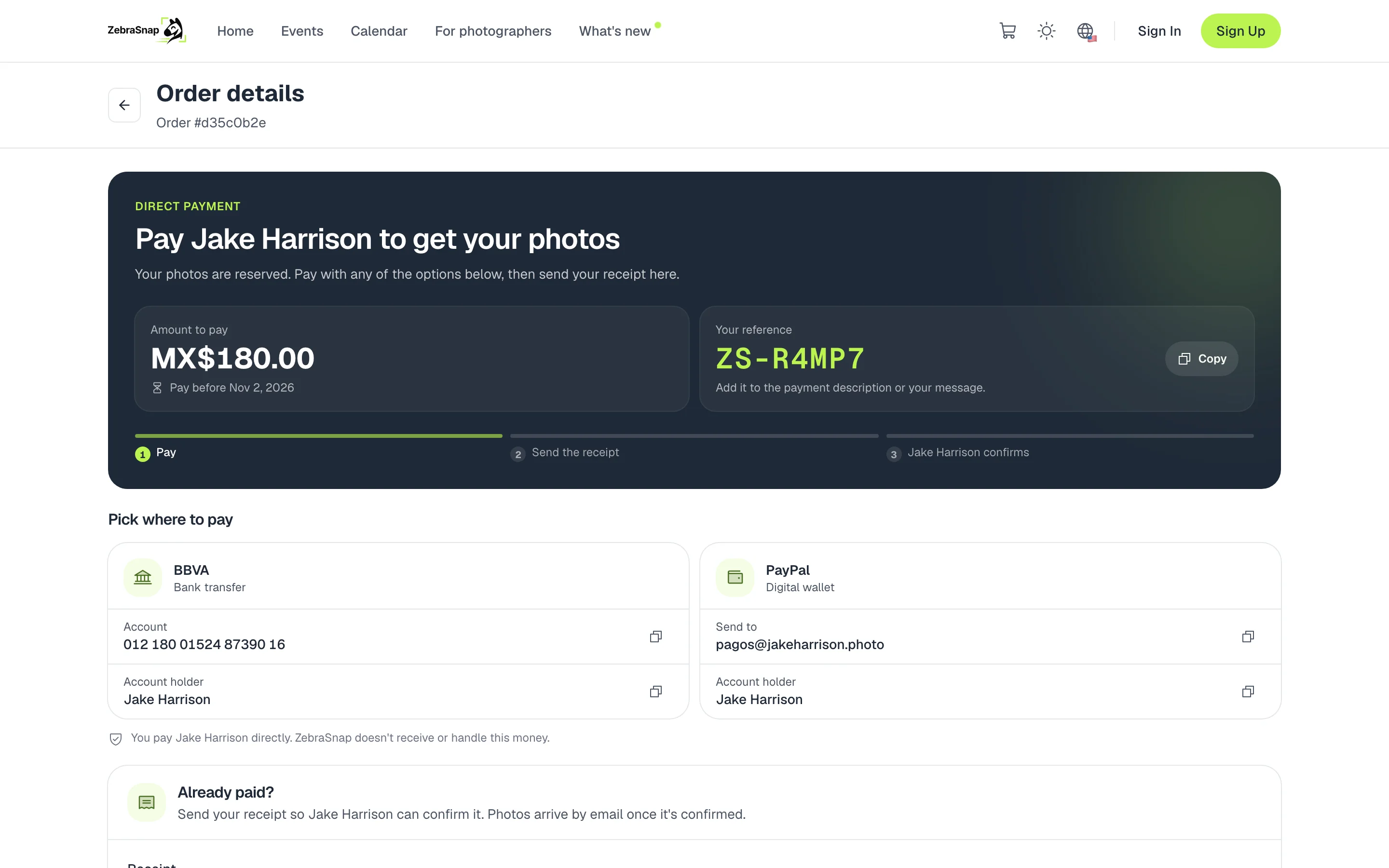
Turn them on
- Open Receive Payments. In the settings menu, go to Receive Payments and scroll down to the Direct payments card.
- Turn on the switch. If your plan does not include them, you will see which plan you need.
- Add your payment methods. Press Add method, choose the type and enter the bank or app name, your account number, phone or email, and the account holder. You can have up to 8.
- Set your preferences. Add your WhatsApp for receipts, choose the Time to pay and, if you like, a Note for buyers. Press Save.
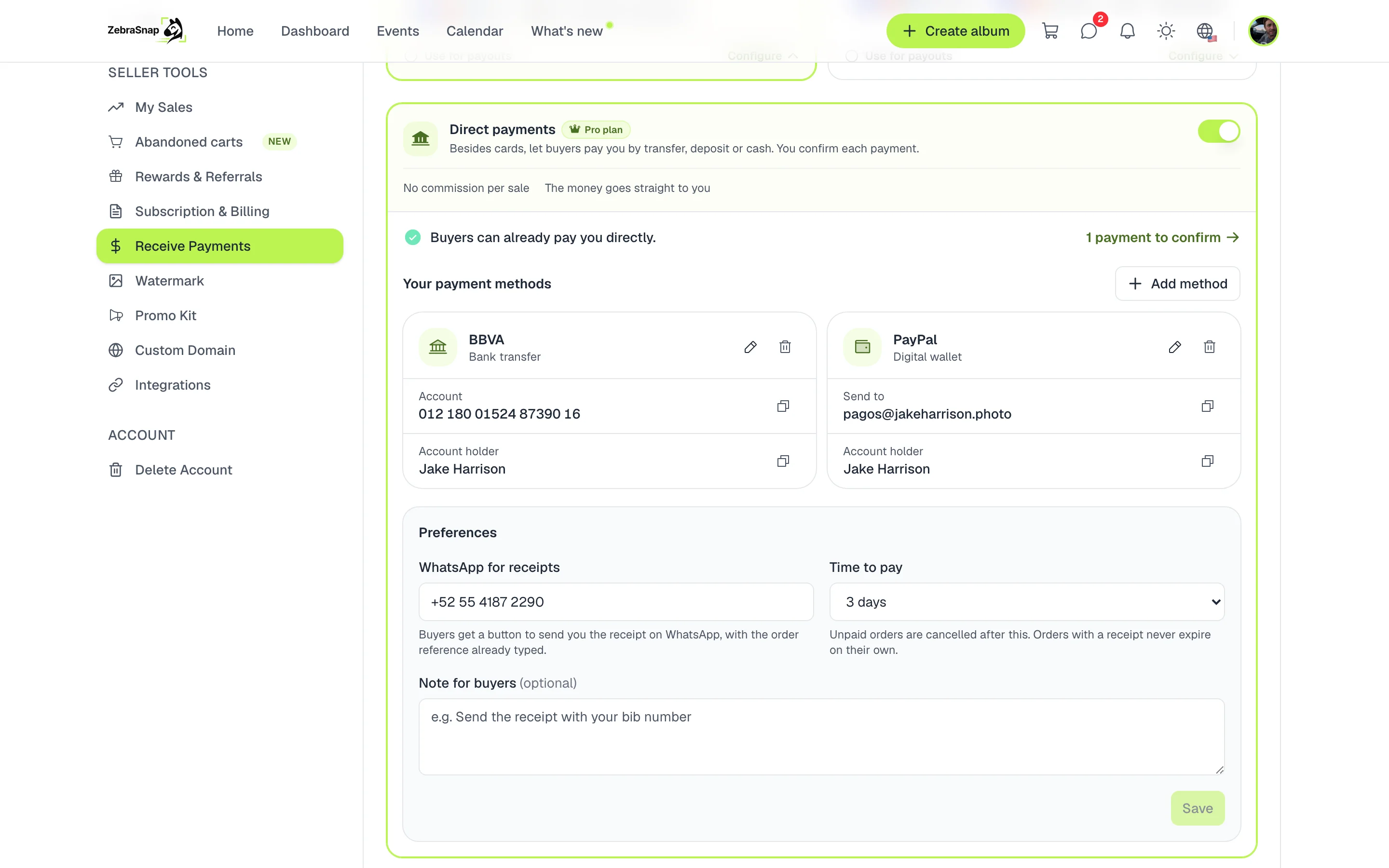
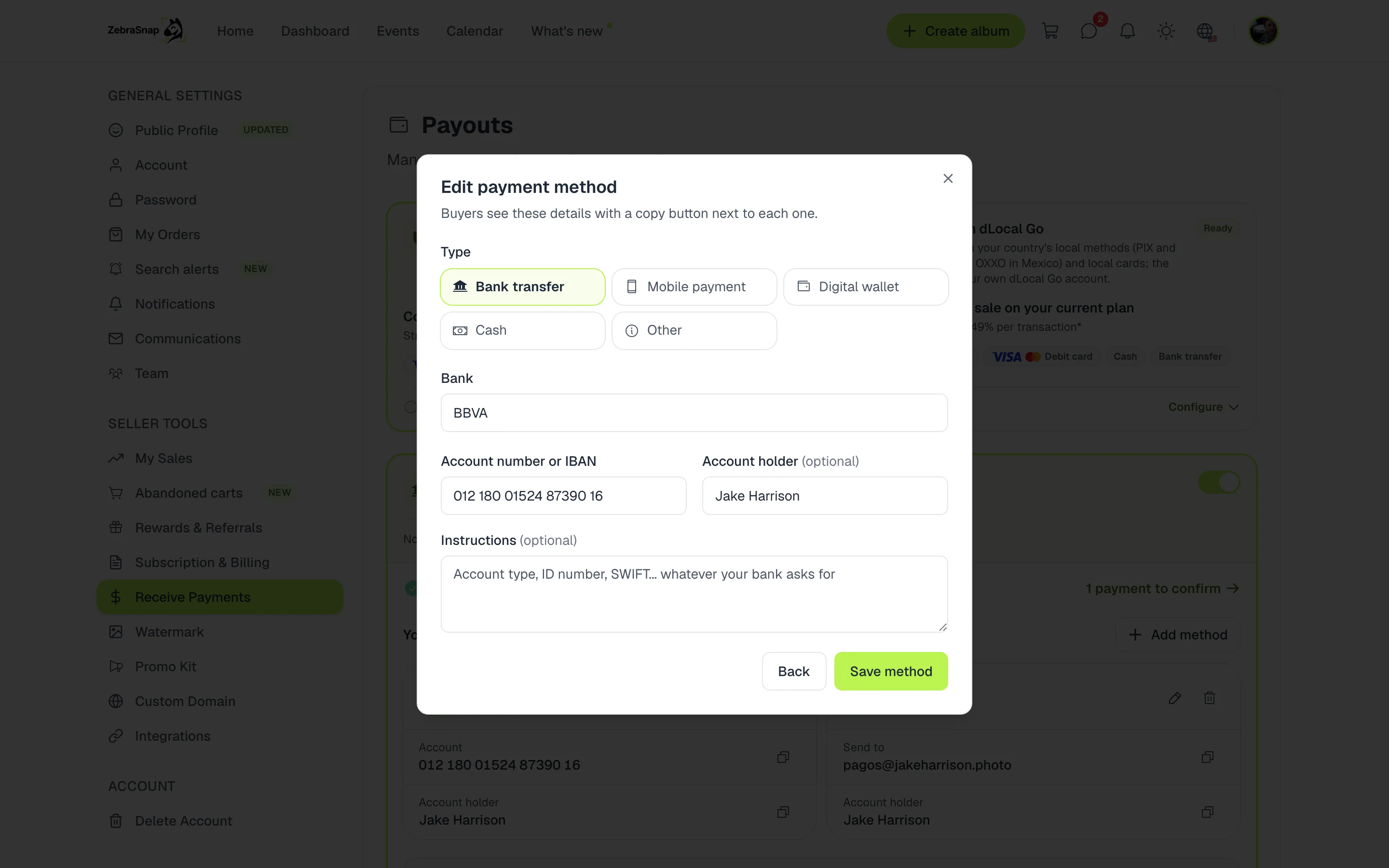
Tip. Use Instructions for whatever your country requires: account type, ID number, CLABE, IBAN or SWIFT. Your buyer sees it exactly as written in their order.
What your buyer sees
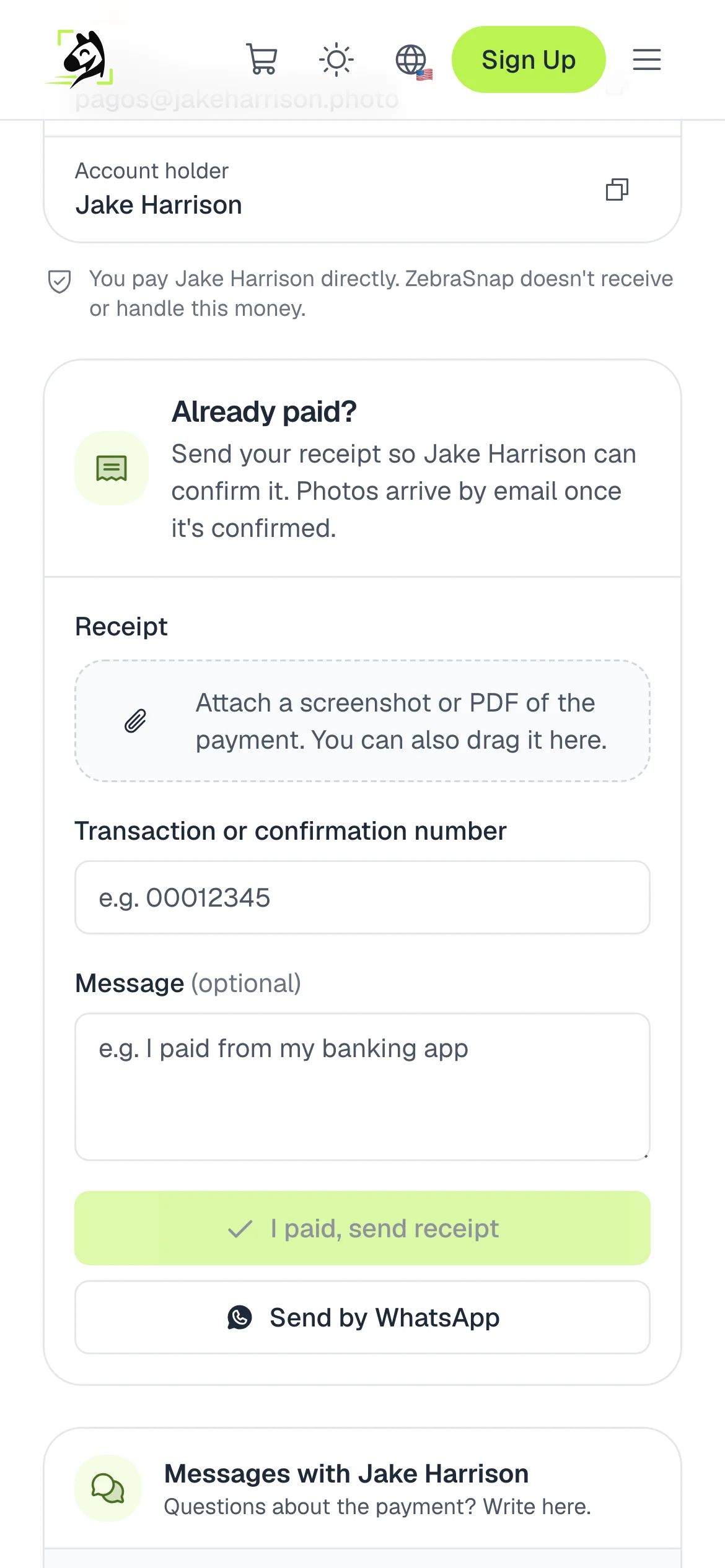
In the cart they choose Pay the photographer directly. They enter their name and, if they want, their WhatsApp, and press See how to pay.
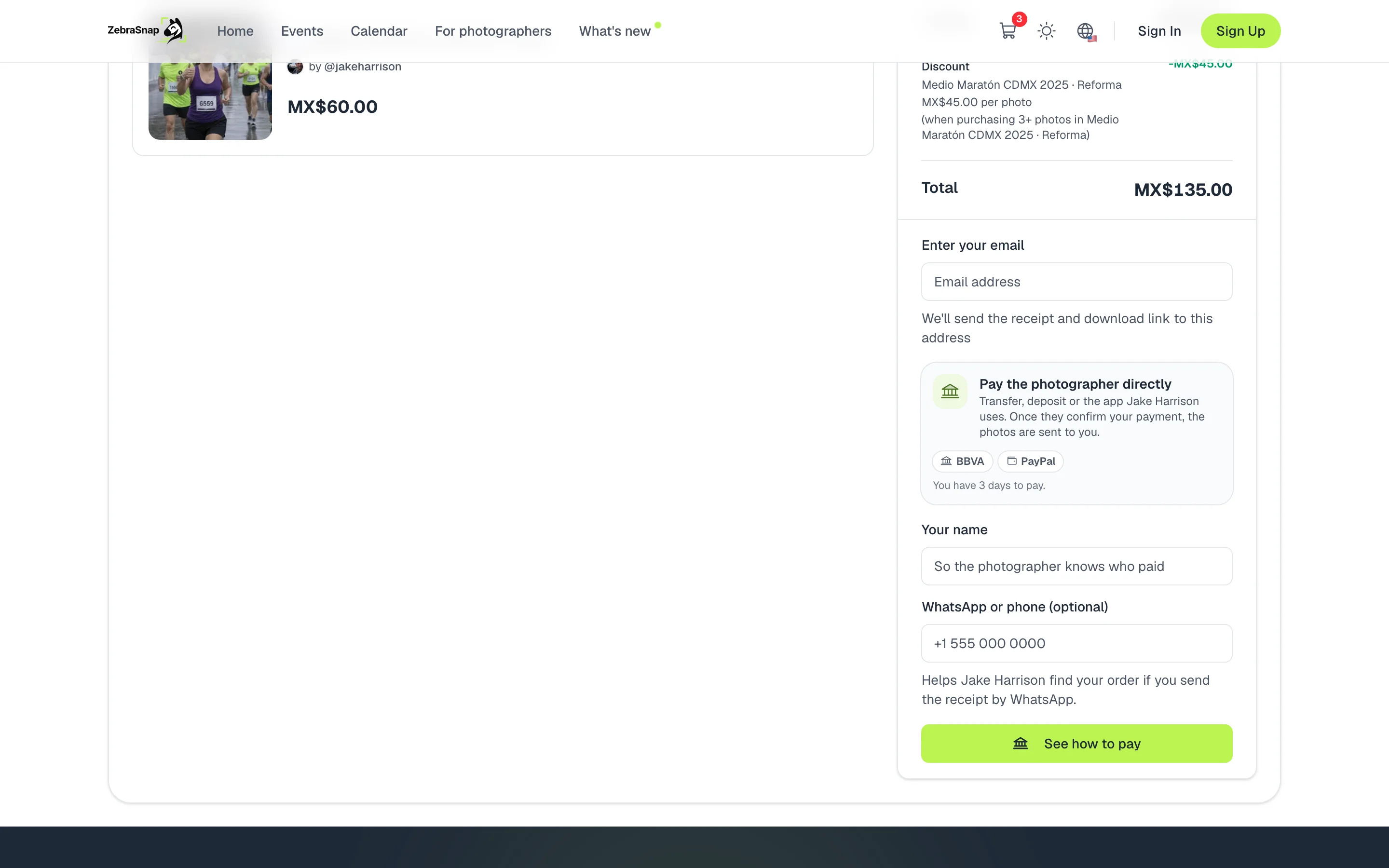
Their order shows the amount, the deadline, their reference and your payment methods. After paying, they upload a screenshot or the PDF of the receipt, or type the transaction number, and press I paid, send receipt. They can also send it to you with Send by WhatsApp, with the reference already filled in, or write to you in the order chat.
Confirm each payment
When a buyer sends their receipt, the order shows you the amount, the reference, the transaction number, the receipt and their WhatsApp. Check your bank or your app and choose:
- Payment received, deliver photos. The order is marked as paid and the photos reach them by email, just like in a card sale.
- It didn't arrive. You write what happened and they get it by email. Their order stays open so they can pay or send another receipt.
- Cancel order. We let them know they were not charged, and their photos stay on sale.
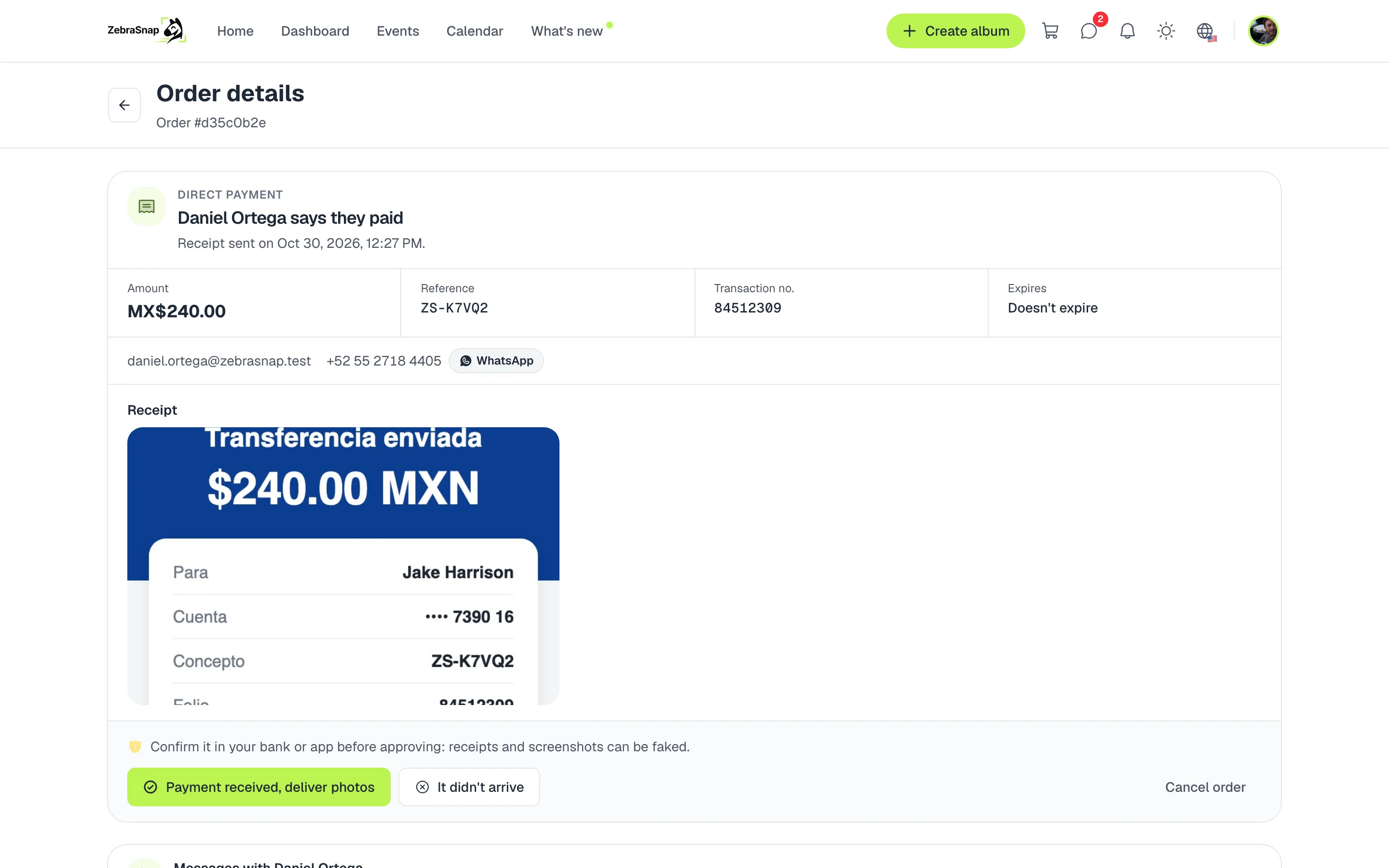
Tip. Always check your bank before approving: a receipt or a screenshot can be faked.
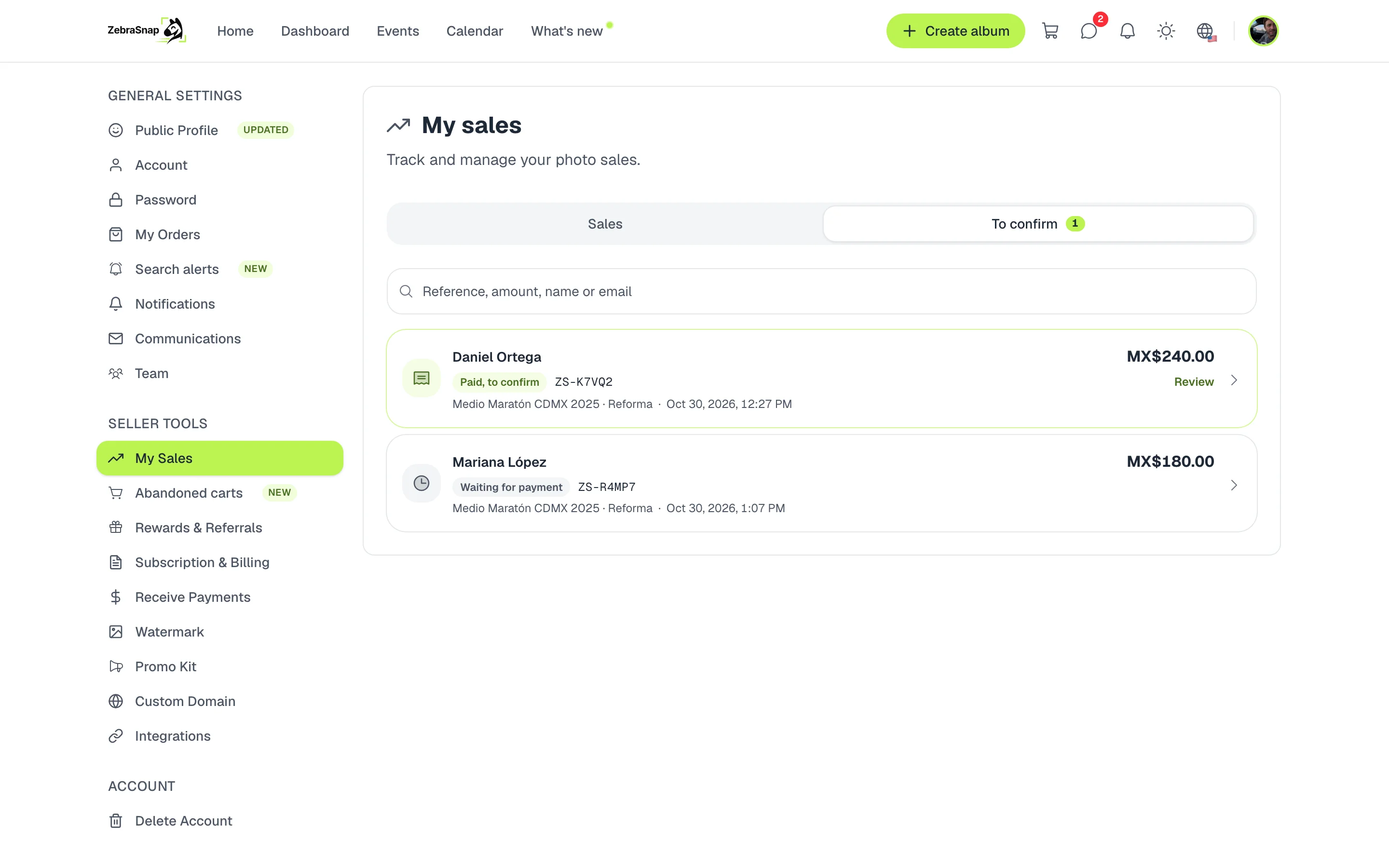
In My sales, the To confirm tab gathers all your open direct payment orders, with the ones that already have a receipt first. Search them by reference, amount, name or email.
Deadlines and reminders
Your buyer has the time you chose to pay, from 1 to 14 days (3 if you do not change it). One day before, we remind them about their payment, and if they do not pay, the order cancels itself. If they already sent their receipt, the order does not expire: we remind you the next day and again after three days.
How other photographers use it
A country without card payments
In Venezuela and other countries where Stripe does not operate, direct payments are how you sell: your buyers pay you by bank transfer, mobile payment or Zelle from the Pro plan.
Mobile payment and wallets
Your buyers pay with what they already use: Pago Móvil, Zelle, Binance Pay or a bank transfer. They copy your details in one tap and you confirm when the money arrives.
Cash at the event
Add cash as a method, with instructions on where to find you. When they pay you at the finish line or at the awards, you approve the order and the photos reach their email.
Frequently asked questions
- Does ZebraSnap charge a commission on direct payments?
- No. The money goes straight from your buyer to you and never passes through ZebraSnap, so there is no sales commission and no processing fee.
- Which plan do I need?
- Direct payments are available from the Pro plan in countries where Stripe does not operate, such as Venezuela.
- When does my buyer get the photos?
- As soon as you approve the payment. They get them by email with their download link, just like in a card sale.
- What if they do not pay?
- The order cancels itself when the time to pay you chose runs out, from 1 to 14 days. Orders that already have a receipt do not expire on their own: they wait for you to review them.
- Can I change my payment details?
- Yes, whenever you want. Orders already placed keep the instructions they had at the time of purchase.
- From the Pro plan, where Stripe does not operate
- Web and app