

Help center
See your sales, orders and customers
Where to see every sale, who bought, how much you earned after fees, which albums sell best, how many people visit your albums, and how you get notified of a new sale.
In short
- Every sale, with the buyer: Settings → My Sales.
- The sales of one album: open the album and tap View orders.
- Charts, best albums and top customers: Sales overview (in the menu as Analytics).
- Visits to an album: the album's View statistics.
My Sales
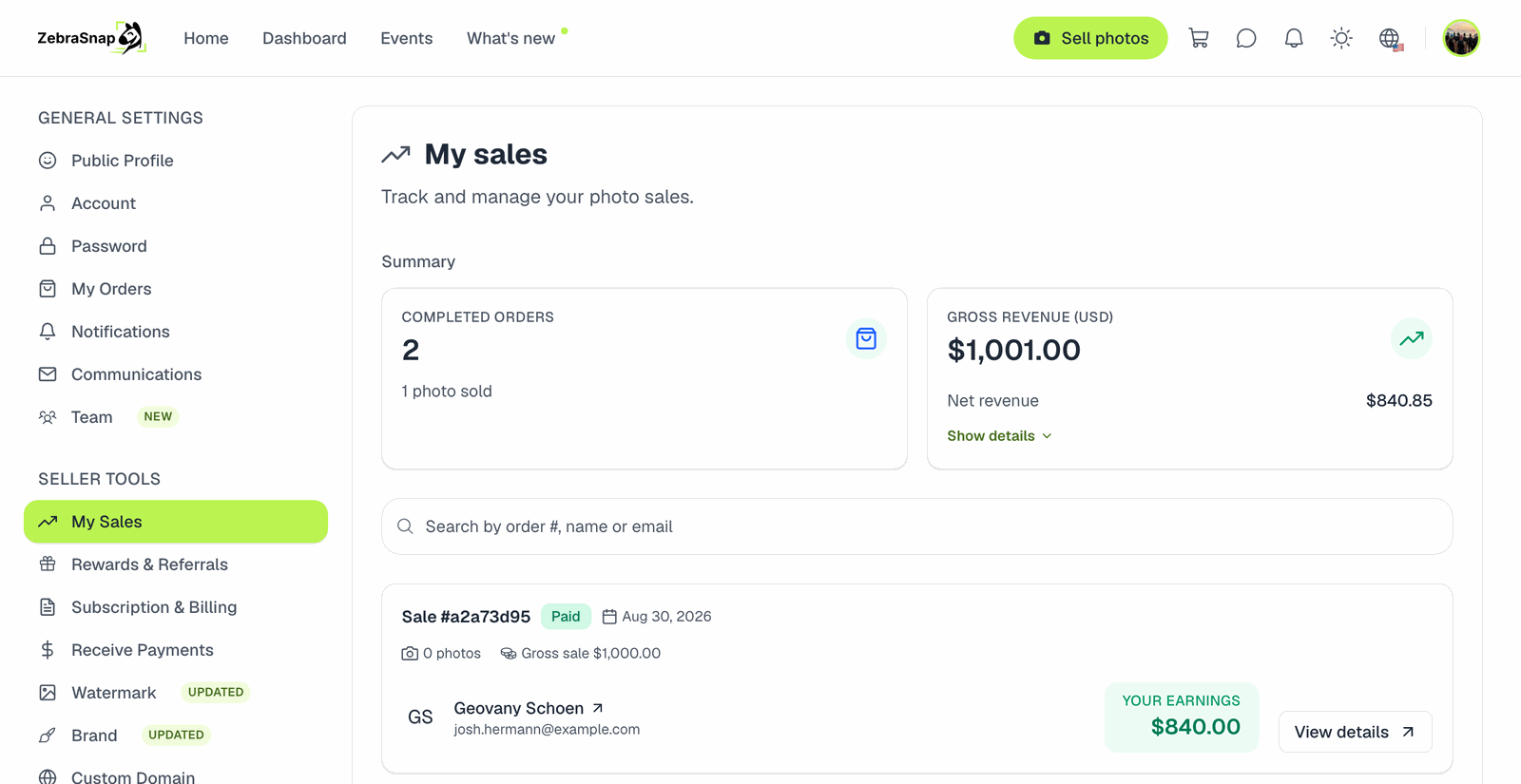
Settings → My Sales lists every sale, newest first, with:
- The buyer's name and email, so you can thank them or send extra photos. Buyers who checked out without giving a name appear as Anonymous customer.
- The photos and videos they bought.
- The amounts: gross (what the buyer paid), the ZebraSnap commission, taxes, and your net earnings.
At the top you'll see the totals: gross, commission, tax, net, number of orders and photos sold.
When the net amount reaches your bank depends on your payout schedule: see When do I get paid?.
Orders of one album
On an album's page, View orders shows only that album's sales. Useful right after an event to see how it's going.
Sales overview (analytics)
The Sales overview page shows your revenue over time, your Top-performing albums, Top customers (who buys from you the most) and the visits to your pages. Use it to see which events and prices work best.
Album statistics
Each album's View statistics shows how many people visited it, unique visitors and where they come from. A lot of visits with few sales can mean the price is high, or that people aren't finding themselves (check that recognition finished).
Getting notified of a sale
Every sale sends you a New sale notification:
- In the notifications bell on the site.
- As a push notification in the mobile app.
- By email, unless you turned it off in Settings → Notifications.
Contacting a buyer
You have their email in My Sales. If they wrote to you first, you can answer in Inbox.
Team members
People on your team can upload and manage albums, but they can't see sales, earnings or payouts. Only you can.
Exporting
There is no export to a spreadsheet yet. If you need your sales for accounting, write to us and we'll help.
Related articles
- Commissions and fees on ZebraSnapHow much we charge per sale and how much Stripe charges for processing the payment - by plan, by account, by currency.
- When do I get paid?How the payout schedule works, why your first payout takes longer, and what to check if the money has not landed yet.
- How discounts and coupons workDiscount types (percentage, fixed amount, fixed total price and price per photo), conditions, caps, the "all your photos" package and which discount applies when several match.
Still need help?
Can't find what you're looking for? Our team is happy to help.