

Help center
How to download the photos you bought
Where your purchased photos are, how to download them on a computer, iPhone or Android, what to do if you lost the email, and why a photo saved from the album looks small and watermarked.
In short
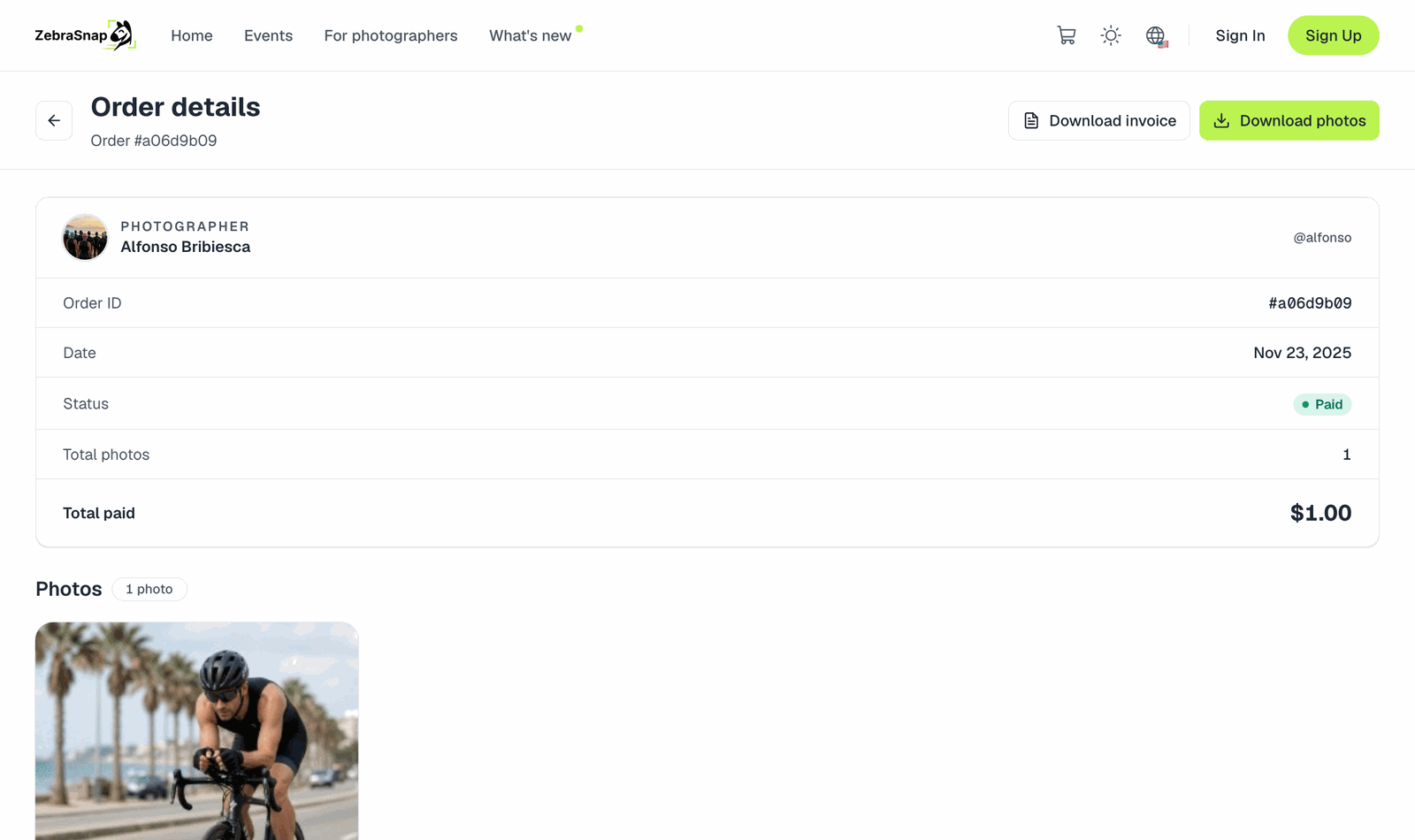
Your photos are on your order page. You can reach it three ways:
- Right after paying: tap View my order on the Payment received screen.
- From the email Your Order Details - ZebraSnap: tap View Order Details.
- If you have an account: My orders in your account menu.
On the order page, tap Download photos. One photo downloads as an image; several download together in a single ZIP file. You can also download each photo on its own.
What you get
You get the original file the photographer uploaded, at full resolution, without the preview watermark and without the protection pattern you see while browsing. Some photographers add a small signature watermark to sold photos; if they do, it is part of their style, not a sign that something went wrong.
Videos are delivered as the original MP4.
Don't save the photo from the album
The photos you see while browsing an album are protected previews: smaller, watermarked, and scrambled so they can't be copied cleanly. If you take a screenshot or save one of those, it will look blurry, low quality or broken, even after you paid. Always download from the order page.
On a phone
iPhone: Download photos saves a ZIP file to the Files app. To put photos straight into your Photos app, tap each photo on the order page, then use the save/share button and choose Save Image. If you downloaded the ZIP, open it in Files (tap it once and it unzips), then share the photos to Photos.
Android: Download photos saves to your Downloads folder. Open the ZIP with your file manager (Files by Google can extract it), or download each photo on its own from the order page so it lands in your gallery.
If a download doesn't start inside an app (for example Instagram's or Facebook's built-in browser), open the order link in Safari or Chrome instead.
Lost the email or the link?
- Check spam or promotions for Your Order Details - ZebraSnap, sent to the email you entered at checkout.
- If you have an account with that email, sign in and open My orders. Everything you bought with that email is there.
- If you bought as a guest, create an account with the same email you used to pay. Your past orders appear in My orders automatically.
- Still nothing? Use the chat bubble or contact us with the email you paid with and the date of the purchase. We'll find the order and send the link again.
The order link does not expire: keep the email and you can download your photos again whenever you need them.
Paid with OXXO or SPEI?
Your photos are ready only once the payment is confirmed. The order page shows Pending payment until then. See Pay with cash at OXXO or by SPEI transfer.
Something is wrong with a photo
Wrong photo, a different person, a file that won't open, a charge twice? See A problem with my order.
Related articles
- How to buy your photosAdd photos to your cart, apply a promo code, pay by card (or cash and bank transfer in some countries) and get your files. No account needed. What currency you pay in and what the checkout asks for.
- My payment was declinedWhy a card payment doesn't go through when you buy photos, what to try, and the message you see when an order is below the minimum amount.
- Pay with cash at OXXO or by SPEI transferHow to buy photos in Mexico without a card: pay in cash at any OXXO store or send a SPEI transfer from your banking app.
Still need help?
Can't find what you're looking for? Our team is happy to help.