



How it works
You create a link for an album and send it to whoever is going to upload. They open the page, drag their photos in and they land straight in your album, with the names they had on their computer. You see how many photos each link uploaded.
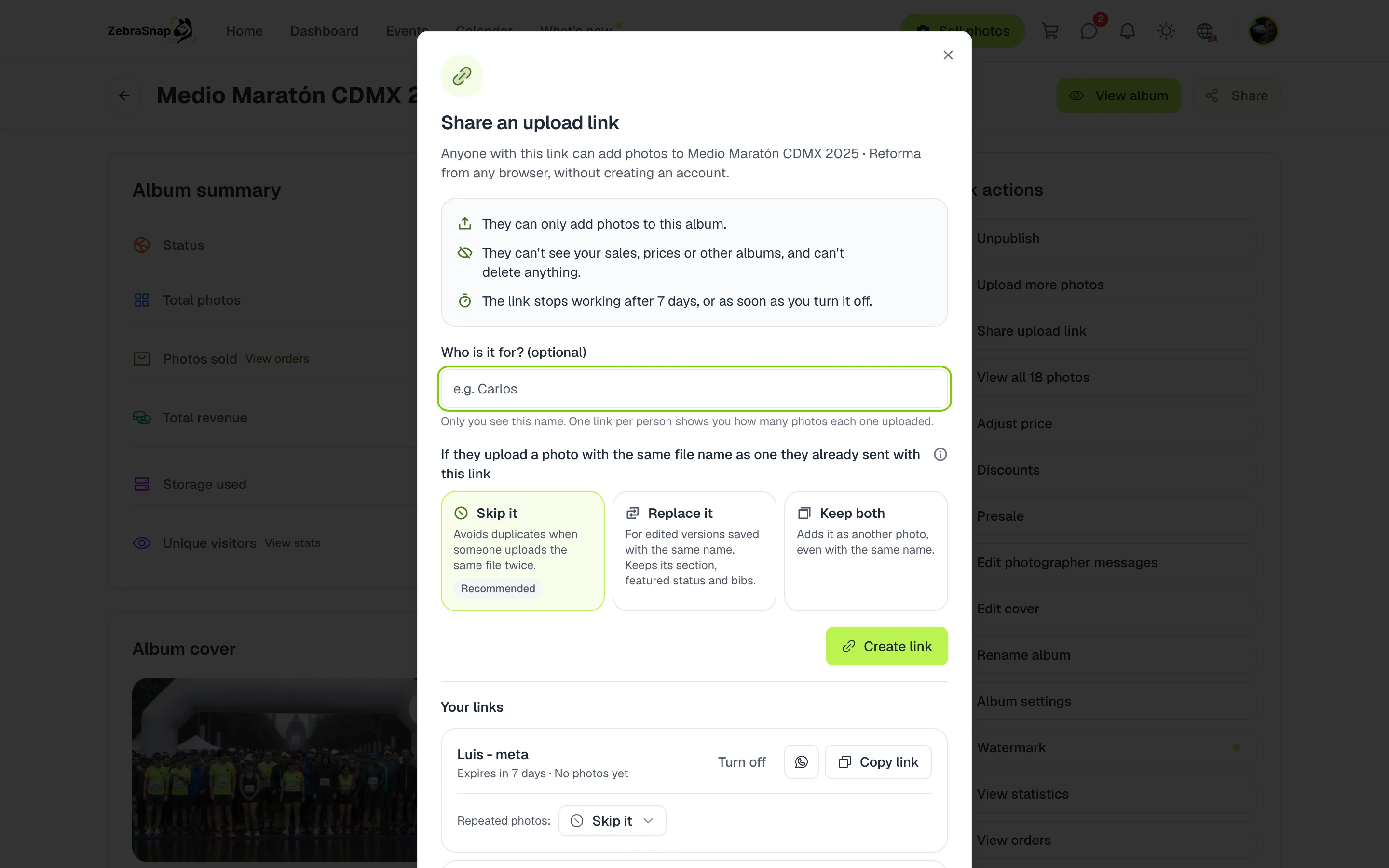
Share a link
- Open your album. In Quick actions, press Share upload link.
- Write who it is for. In Who is it for?, type their name: that way you know who uploaded what.
- Choose what happens with duplicates. Skip the photo, replace it or keep both.
- Create and share. Press Create link and send it with Copy link or on WhatsApp.
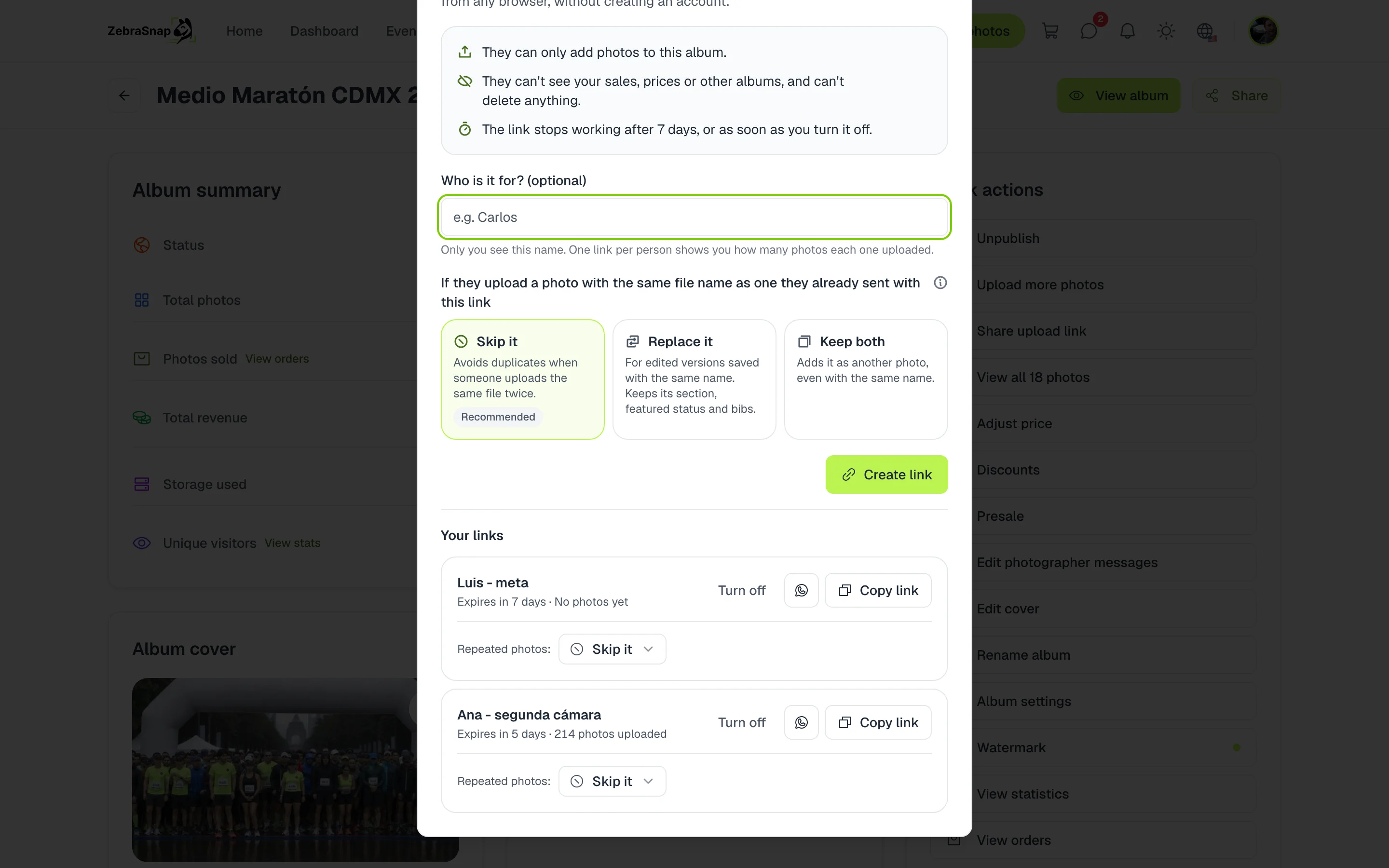
Tip. Create one link per person: you see how many photos each one uploaded and you can turn one off without affecting the rest.
What the uploader sees
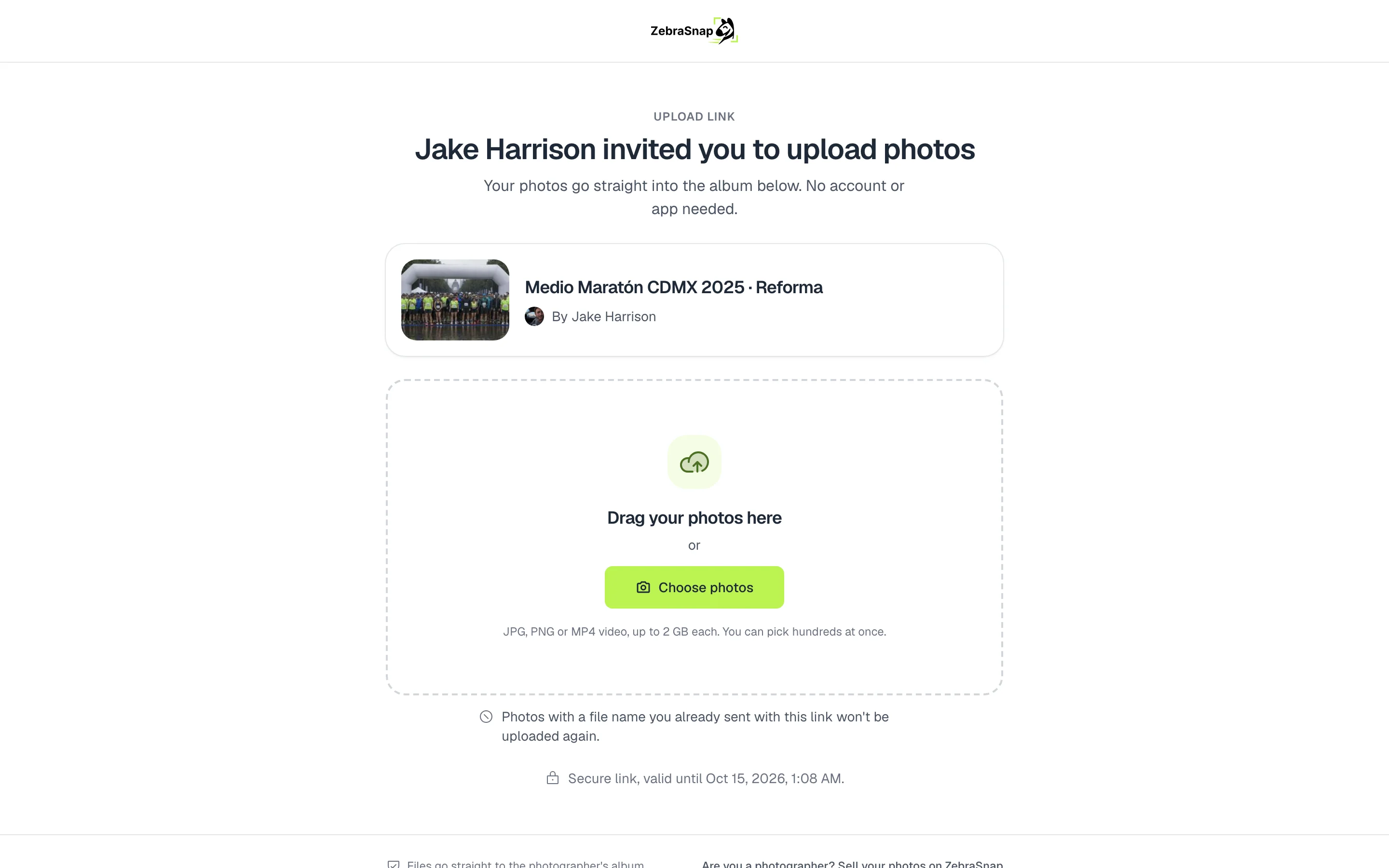
A simple page with your name and your album, where they drag their photos in or pick them with Choose photos. They can upload hundreds at once, photos or video, and they see the progress of each file.
Manage your links
Each link lasts 7 days. In Your links you renew it for 7 more days, turn it off or change what happens with duplicate photos. You can have up to 20 active links per album.
How other photographers use it
Your second shooter
You send them the link on WhatsApp when the race ends, and they upload their photos from their laptop while you upload yours.
A friend who helped out
They covered the awards with their camera. They do not have a ZebraSnap account and do not need one: they upload from the browser.
A far point on the course
Each person at a different point gets their own link with their name, and you see how many photos each one uploaded.
Frequently asked questions
- Does the person uploading need an account?
- No. They open the link in any browser, on a computer or a phone, and upload their photos.
- What can they see or do with the link?
- Only upload photos to that album. They do not see your sales, prices or other albums, and they cannot delete anything.
- How long does a link last?
- 7 days. You can renew it for 7 more days or turn it off at any time.
- What if they upload the same photo twice?
- You decide when you create the link: skip it, replace it or keep both.
- What if someone is going to work with me often?
- For someone who helps you on many albums, invite them to your team on the PRO and Enterprise plans.
- All plans
- Web