
How it works
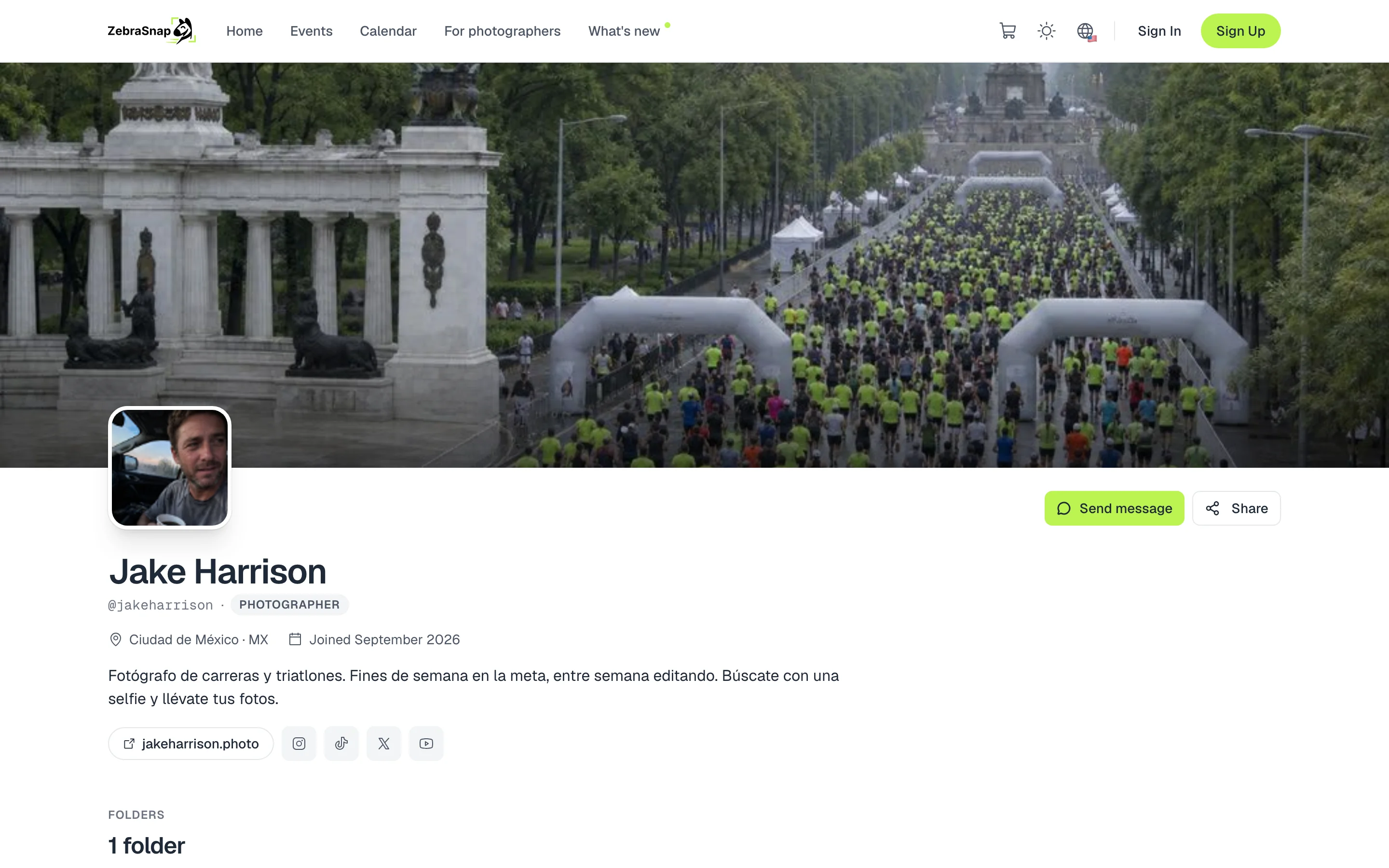
Your profile is your page on ZebraSnap. At the top goes your cover, then your photo, your name, your location, your bio, your website and your social media. Below are your folders and your published albums, and anyone can write to you with Send message.
Edit your profile
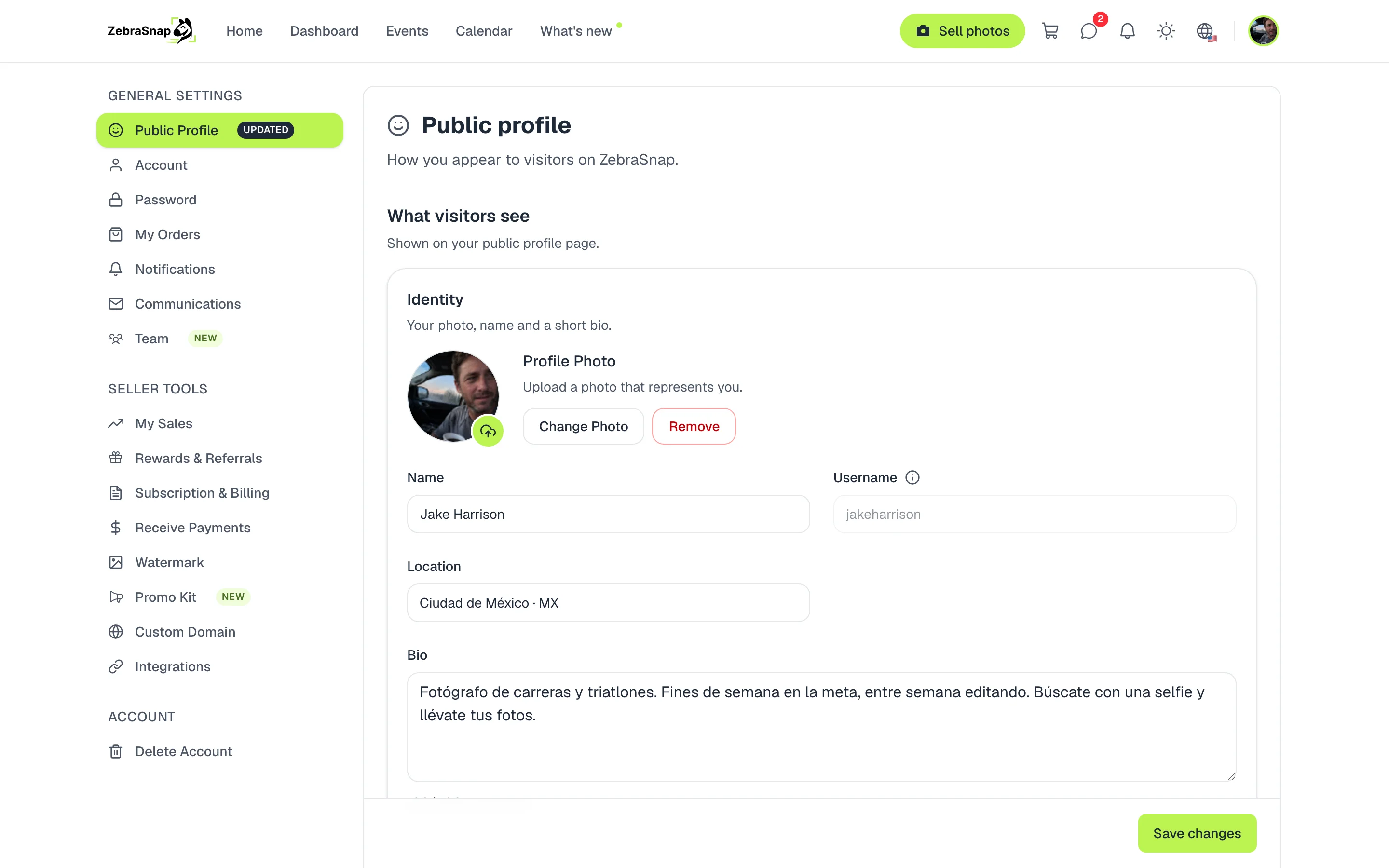
- Open Settings. Go to Public Profile.
- Fill in who you are. Your photo, your name, your location and a short bio.
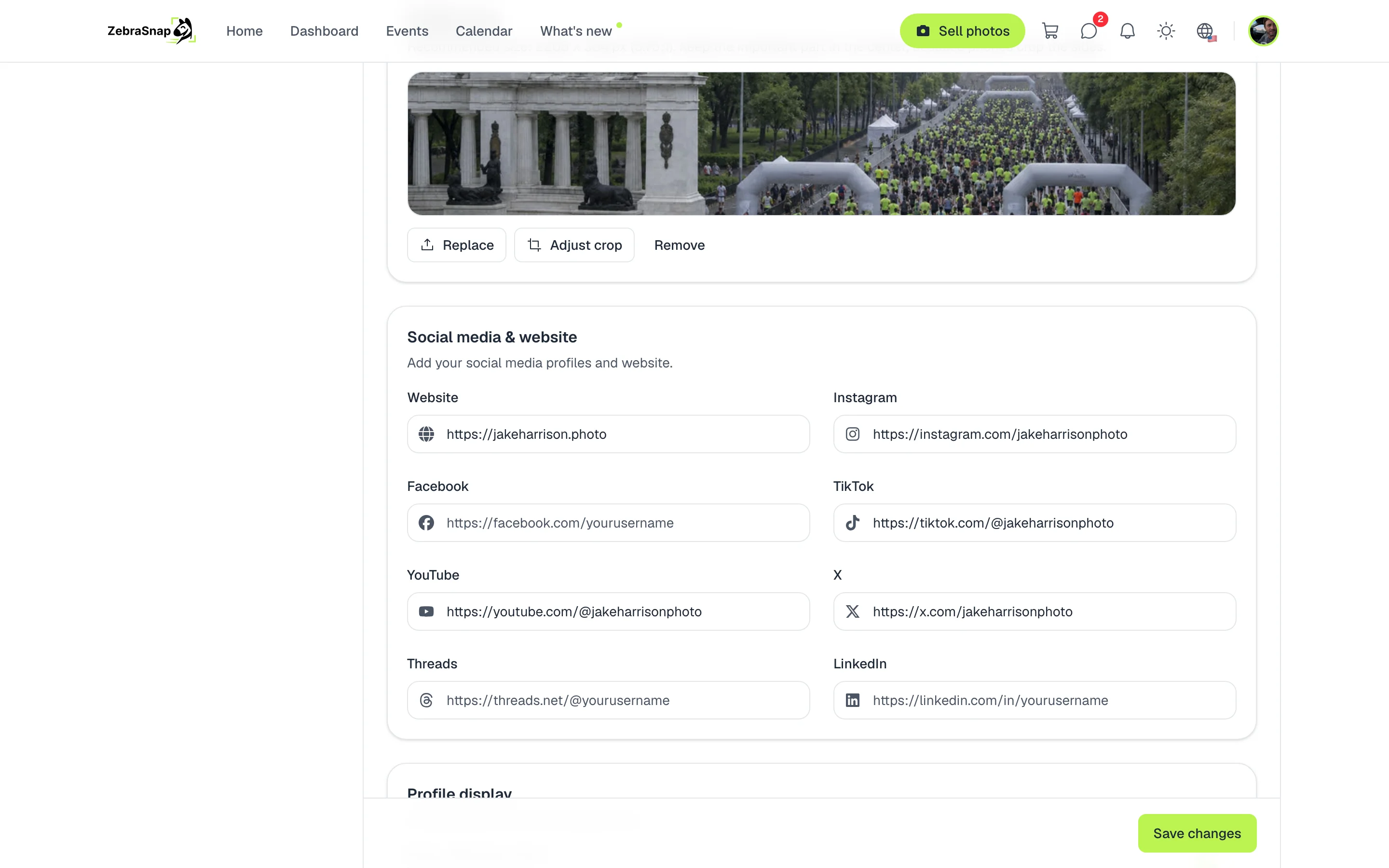
- Add your social media. In Social media & website, paste the links to your site and your social media.
- Save. Press Save changes and your profile updates right away.
Tip. Use a photo from one of your events as your cover, with lots of people and good light: it is the first thing your clients see.
Your cover, your way
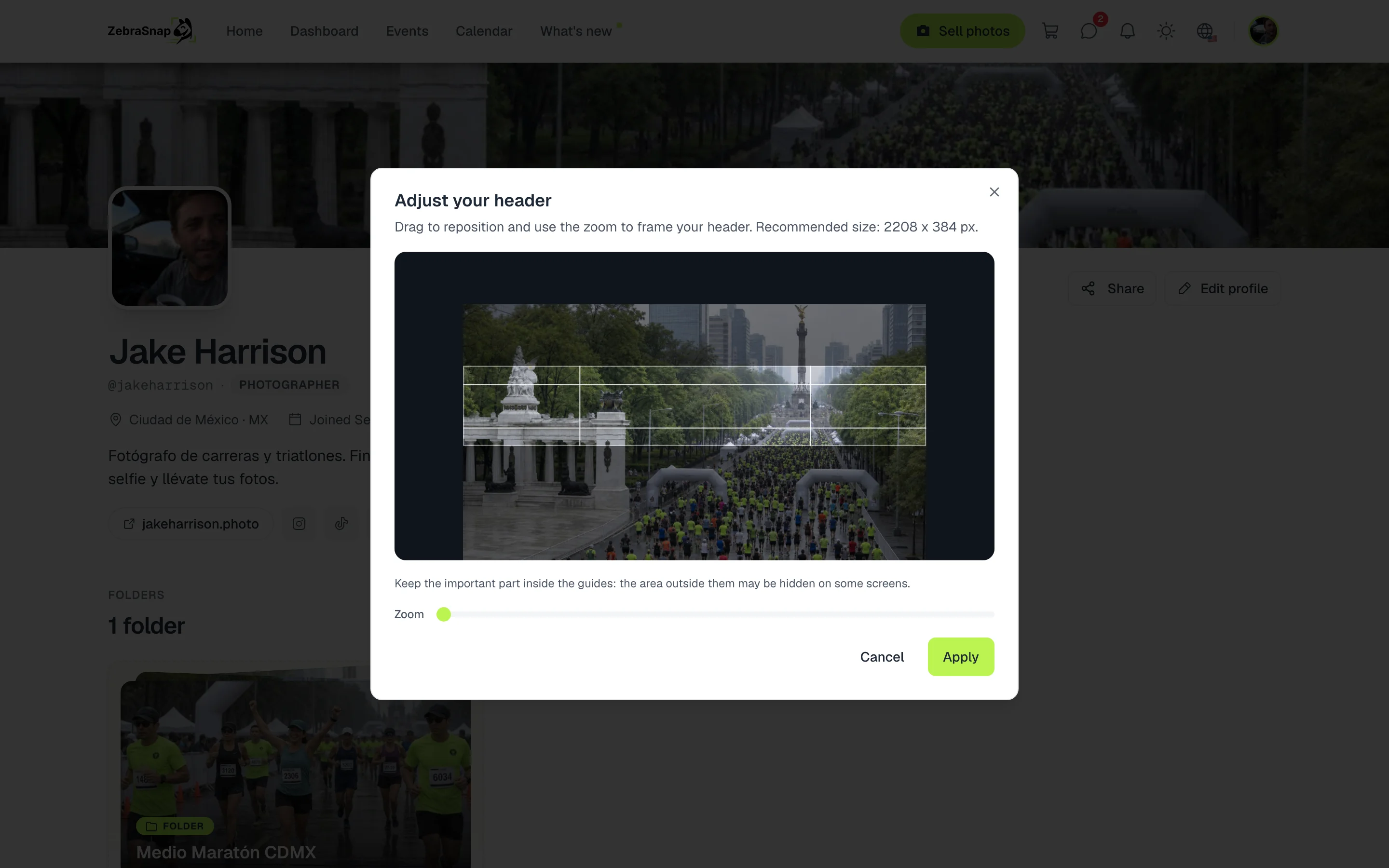
Upload your cover from your profile or from Settings and fit it with Adjust crop: you drag the photo to frame it and use the zoom. The guides show you which part is visible on every screen.
Profile display
In Profile display you choose whether to show how long you have been on ZebraSnap and how many albums show per page. To sort your albums by event or client, group them in folders: public folders show above your albums.
How other photographers use it
The link in your bio
You put your profile on your Instagram and your followers find all your events in one place.
After every race
Runners reach your profile from a photo and see your other albums, your social media and how to contact you.
To get hired
An organizer checks your profile before hiring you: your work, your events and your website.
Frequently asked questions
- What is my profile address?
- zebrasnap.com/ followed by your username. Your username cannot be changed from your profile; if you need a different one, write to support.
- Can I use my own domain?
- Yes, on the Lite, PRO and Enterprise plans you can connect your domain and your profile shows with your brand.
- Which social networks can I add?
- Your website, Instagram, Facebook, TikTok, YouTube, X, Threads and LinkedIn.
- Do my private albums show on my profile?
- No. Only your published albums and your public folders show up.
- Can my clients message me?
- Yes, from your profile with the Send message button.
- All plans
- Web and app