



How it works
In My albums your folders show at the top, each with its cover and how many albums and photos it has. Below are the albums that are not in any folder.
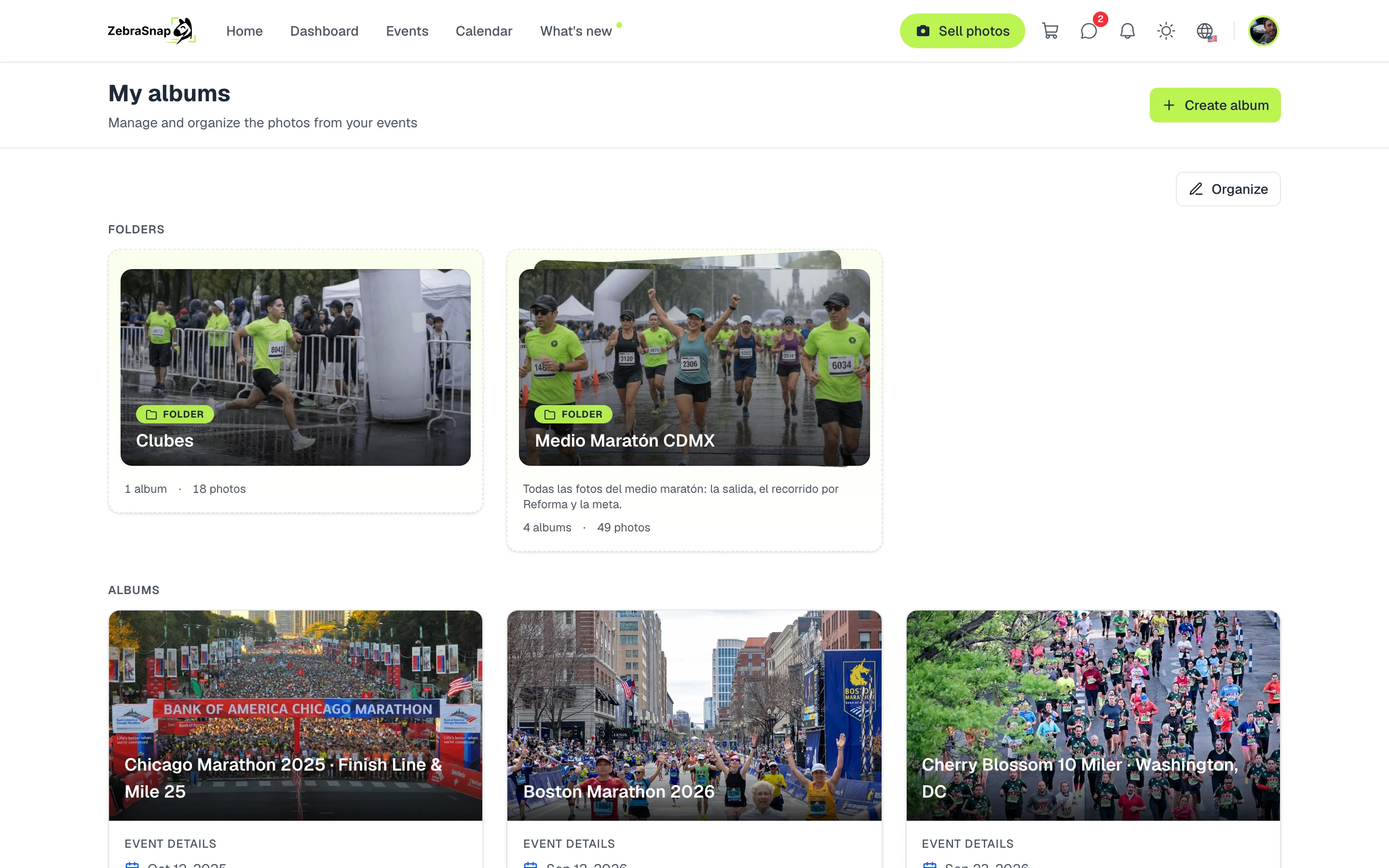
Create a folder and move your albums
- Open My albums. Press Organize.
- Select your albums. Tap the albums you want to group.
- Move them. Press Move to folder and choose a folder or create one with New folder.
- Done. The folder shows at the top with its albums. You can change its name, description or cover whenever you want.
Tip. Give the folder the event's name, like "Medio Maratón CDMX": it is what your clients will see on your profile and on the folder page.
What your clients see
Public folders show on your profile, before your albums.
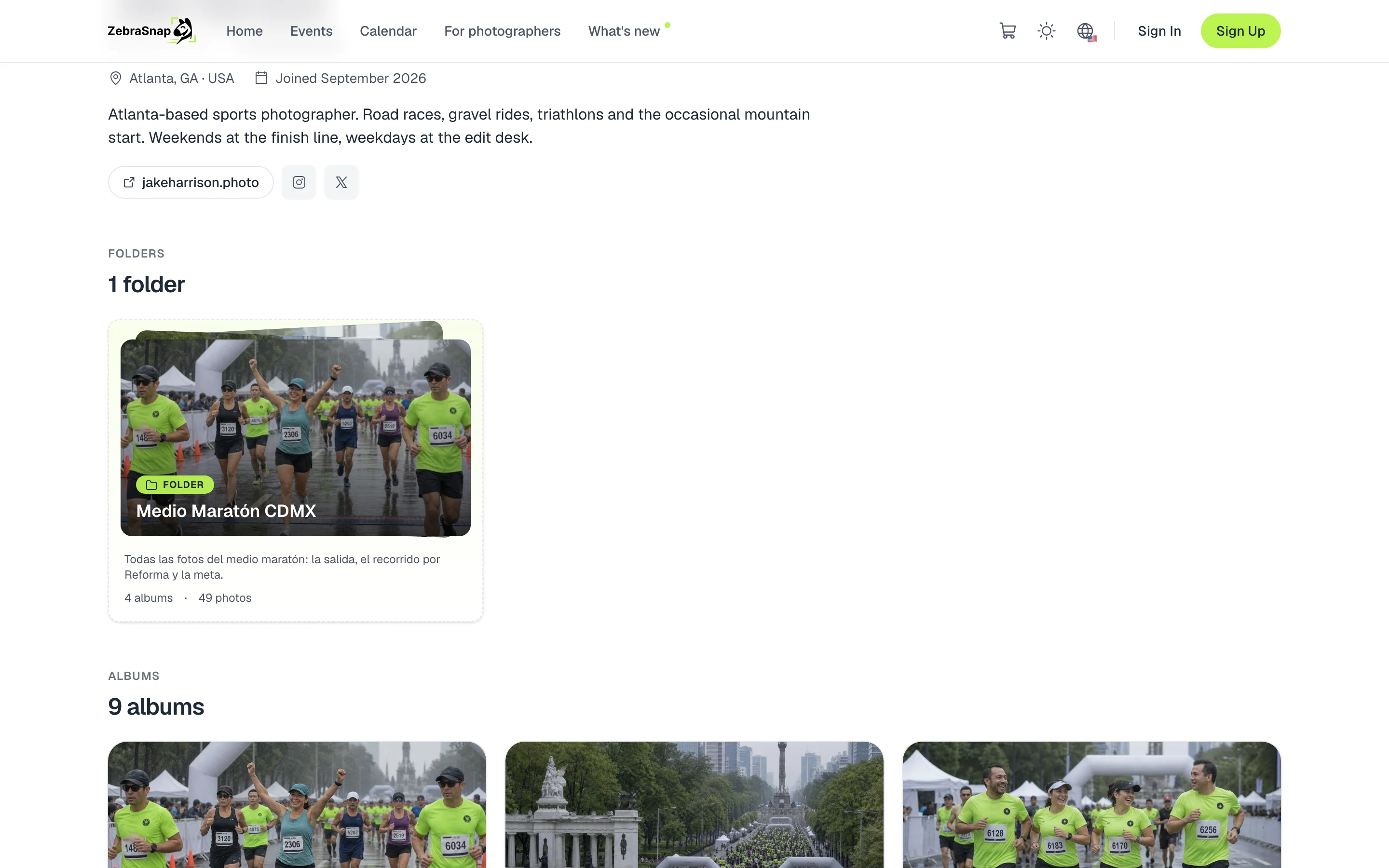
Each folder has its own page with all its albums. There your clients find themselves with a selfie, their number or the color of their clothes across all the albums in the folder at once.

Private folders
A private folder keeps your dashboard tidy without showing anything: it does not appear on your profile. It is where your private albums go, since they can only be in private folders.
How other photographers use it
An event with several albums
You upload one album per point on the course and group them in the event's folder. Runners search once and their photos from all of them show up.
A season
Each league date is an album and the "League 2026" folder brings them together. You share a single link all year.
Private clients
A private folder holds the albums of your clubs and companies, tidy in your dashboard and off your profile.
Frequently asked questions
- How many folders can I have?
- As many as you want. Each album goes in one folder at a time.
- Can I put a private album in a public folder?
- No. Private albums go in private folders and public albums in public folders.
- What happens if I delete a folder?
- Its albums are not deleted: they leave the folder and stay in your list.
- Do private folders show on my profile?
- No. Only public folders with at least one published album show up.
- Can I put folders inside folders?
- No, folders have a single level.
- All plans
- Web